Laptop RTX 5090 Runs Circles Around M5 Max in AI Inference—Until Bigger LLMs Enter the Picture

Laptop RTX 5090 Runs Circles Around M5 Max in AI Inference—Until Bigger LLMs Enter the Picture
RTX 5090 vs M5 Max: The AI performance fight is more complicated than it looks
The fastest AI laptop isn’t always the laptop that can run the biggest AI model.
That distinction matters more than ever as people start running LLMs locally for coding, research, document analysis, RAG and AI agents.
On paper, an RTX 5090 laptop looks like the obvious winner. NVIDIA’s Blackwell GPU has dedicated VRAM, enormous memory bandwidth and an extremely mature CUDA software ecosystem.
Apple’s M5 Max takes a different approach. Its unified memory can be configured with dramatically more memory than the 24GB of VRAM available on an RTX 5090 Laptop GPU.
And that’s where this comparison gets interesting.
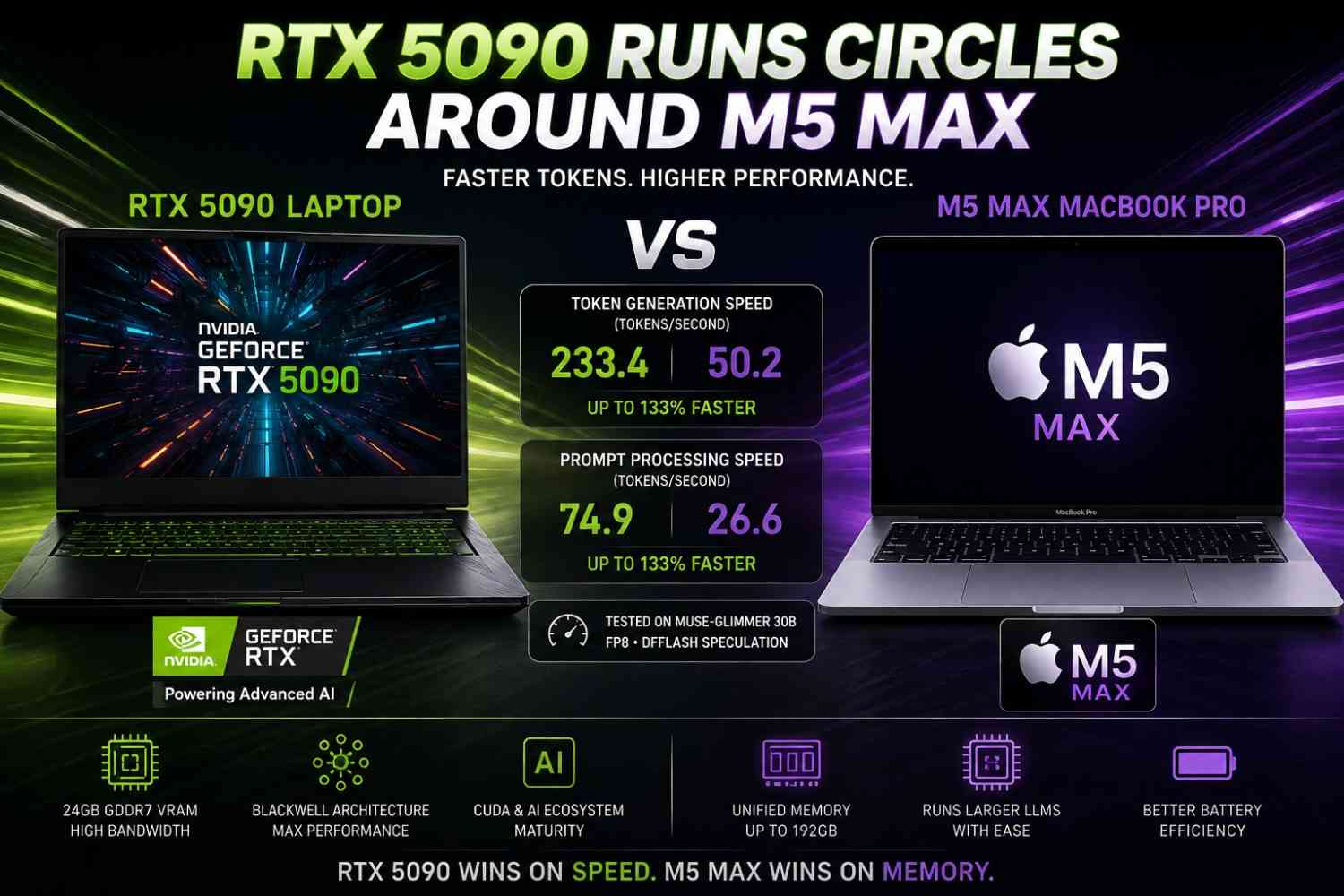
Recent testing around local LLM inference shows the RTX 5090 can be dramatically faster for models that fit comfortably inside its VRAM. One recent benchmark of the 30B Muse-Glimmer model measured 74.9 tokens/s on an RTX 5090 versus 26.6 tokens/s on an M5 Max before speculative decoding. With DFlash speculation enabled, the figures rose to 233.4 and 50.2 tokens/s respectively. (Hugging Face)
That’s not a small lead.
But once the model becomes too large for 24GB, the story changes.
What makes the RTX 5090 so fast for local AI?
The RTX 5090 Laptop GPU is designed around a completely different philosophy from Apple’s M-series chips.
For local LLM inference, three things matter enormously:
- GPU compute
- Memory bandwidth
- Available memory
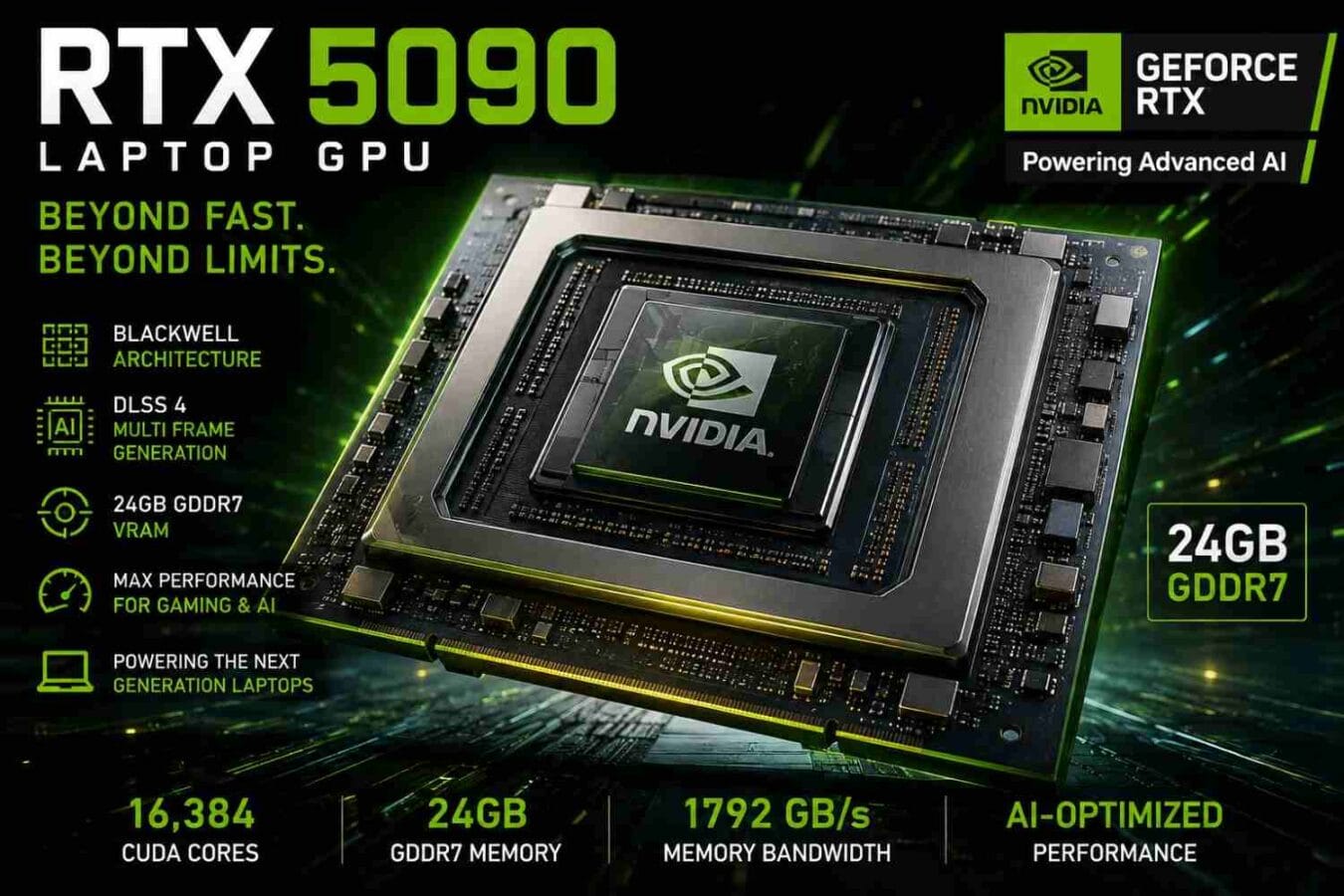
The RTX 5090 Laptop GPU combines Blackwell architecture with 24GB of GDDR7 VRAM and very high memory bandwidth.
That dedicated high-speed memory is particularly useful when a model fits entirely inside VRAM.
Instead of repeatedly moving model weights between system memory and GPU memory, the GPU can keep the working model in its own high-bandwidth memory.
That’s exactly what local AI workloads want.
Prompt processing and token generation aren’t the same thing
This is one area where benchmark headlines can become misleading.
Prompt processing, often called prefill, is the process of ingesting your input context.
If you paste a 10,000-token document into a chatbot, the system first has to process those tokens before generating its answer.
Token generation, or decode, is what happens afterward as the model produces the response one token at a time.
A machine can be extremely fast at one and less impressive at the other.
This distinction becomes especially important with coding agents and long documents.
Why NVIDIA’s CUDA ecosystem matters
Hardware isn’t the whole story.
NVIDIA has spent years building an ecosystem around CUDA, Tensor Cores, optimized kernels and AI frameworks.
Popular local-AI tools such as llama.cpp, PyTorch-based applications and various inference engines can take advantage of NVIDIA acceleration.
Apple Silicon is certainly capable of local inference, but developers sometimes have to work through Metal or Apple-specific acceleration paths.
That doesn’t automatically make Apple slow.
It means NVIDIA has a particularly mature software stack for workloads that have been optimized around CUDA.
For developers who regularly experiment with quantization, inference engines, image generation and AI frameworks, this can make an RTX machine considerably easier to optimize.
The M5 Max has one weapon the RTX 5090 can’t match
Memory capacity.
This is where the MacBook Pro with a high-memory M5 Max configuration becomes extremely interesting.
Apple’s unified-memory architecture allows the CPU and GPU to share a large pool of memory.
That means a high-memory M5 Max system can run models that simply don’t fit inside a 24GB RTX 5090 Laptop GPU.
And with LLMs, model size matters.
A 70B or 120B model can require tens of gigabytes of memory depending on the model architecture, quantization level and runtime overhead.
Trying to squeeze such a model into 24GB of VRAM can force part of the workload into slower system RAM.
Once that happens, the RTX 5090’s enormous GPU performance advantage becomes much less useful.
Bigger LLMs completely change the comparison
This is the biggest caveat to the “RTX 5090 destroys M5 Max” argument.
Suppose you are running a relatively small 7B, 14B or 20B quantized model.
If the entire model fits inside the RTX 5090’s VRAM, NVIDIA’s GPU can stretch its legs.
You get:
- High memory bandwidth
- Dedicated VRAM
- Strong GPU compute
- CUDA acceleration
- Excellent inference performance
But move to a model that requires substantially more memory and the situation becomes different.
Recent testing of the M5 Max illustrates why.
A MacBook Pro with M5 Max has demonstrated strong performance on models larger than the RTX 5090 can comfortably hold in its VRAM. In testing involving GPT-OSS-120B, the M5 Max reportedly delivered more than 90 tokens/s with an empty context, while the model was too large to fit entirely into the RTX 5090’s VRAM. (Tweakers)
That’s the crucial trade-off:
RTX 5090 = extremely fast when the model fits.
M5 Max = considerably more flexible when the model doesn’t.
What happens with long context windows?
Long context is another factor that can flip the result.
Imagine you’re running a coding agent with:
- A large system prompt
- Several source files
- Previous conversations
- Tool outputs
- Documentation
- Thousands of additional tokens
The model isn’t just storing its weights.
The runtime also needs memory for the KV cache.
The KV cache stores information from previous tokens so the model doesn’t have to recompute everything from scratch during generation.
As context length increases, KV-cache memory requirements can become significant.
That means a model that comfortably fits into 24GB with a short context might become much more demanding when you push it toward 64K, 128K or larger contexts.
This is where systems with huge unified-memory configurations become attractive.
A real-world example: coding on a local LLM
Imagine I am working on a large software project and want an AI coding assistant running completely offline.
With a smaller coding model that fits into 24GB, I’d strongly favor an RTX 5090 laptop.
The responsiveness would be excellent, particularly when generating code or processing moderate prompts.
But suppose I want to load an 80B+ coding model, keep a very large context window and feed the system thousands of lines of source code.
Now memory capacity becomes the first question I would ask—not raw GPU benchmark performance.
If the model spills aggressively from GPU VRAM into system RAM, the theoretical advantage of the RTX 5090 doesn’t translate directly into real-world performance.
That’s the point many simple GPU-vs-Mac comparisons miss.
The 133% performance claim needs context
Claims such as “up to 133% faster” can sound spectacular, but the benchmark configuration matters.
A percentage like that doesn’t mean an RTX 5090 laptop will be exactly 133% faster than an M5 Max in every LLM.
AI inference performance depends on:
- Model architecture
- Parameter count
- Quantization
- Context length
- Batch size
- Prompt size
- Runtime
- GPU memory capacity
- Memory bandwidth
- Software optimizations
Change any of these and the performance gap can move substantially.
For example, the Muse-Glimmer benchmark found the RTX 5090 at 74.9 tokens/s versus 26.6 tokens/s for the M5 Max in its baseline test—roughly a 2.8× advantage, or about 182% more tokens/s relative to the M5 Max baseline. (Hugging Face)
With speculative decoding, the same test produced 233.4 tokens/s on the RTX 5090 versus 50.2 tokens/s on M5 Max. (Hugging Face)
So the exact “133%” number should not be treated as a universal RTX-vs-M5 performance ratio.
It’s a benchmark-dependent result.
Why speculative decoding makes the numbers even more interesting
Speculative decoding is one of the cleverest techniques being used to accelerate LLM generation.
Instead of asking a large model to generate every token sequentially, a smaller draft model proposes several tokens.
The larger model then verifies those predictions in parallel.
If the predictions are accepted, multiple tokens can effectively be produced with fewer expensive passes through the main model.
The Muse-Glimmer testing is a good example of how dramatically this can alter measured performance.
The RTX 5090 increased from 74.9 tokens/s to 233.4 tokens/s, while M5 Max increased from 26.6 to 50.2 tokens/s. (Hugging Face)
That doesn’t mean every LLM will experience the same improvement.
But it shows why modern AI benchmarking needs to distinguish between ordinary decoding and optimized inference techniques.
RTX 5090 Laptop vs M5 Max: Which one should you buy?
| Category | RTX 5090 Laptop | M5 Max MacBook Pro |
|---|---|---|
| Small/medium local LLMs | Excellent | Very good |
| Token generation | Excellent | Very good |
| Prompt processing | Excellent | Good to very good |
| GPU acceleration | Excellent | Excellent |
| CUDA ecosystem | Winner | Not available |
| Maximum memory capacity | Limited by 24GB VRAM + system RAM | Major advantage |
| Very large LLMs | Challenging | Better suited |
| Long-context workloads | Excellent when model/cache fits | More flexible |
| Gaming | Clear winner | Limited |
| Battery efficiency | Usually weaker | Clear winner |
| AI experimentation | Excellent | Excellent |
| Portability | Good | Excellent |
Who should choose the RTX 5090 laptop?
I’d pick an RTX 5090 laptop if your priority is raw local AI performance on models that fit inside 24GB.
It makes especially good sense for:
- AI developers
- Local LLM enthusiasts
- CUDA developers
- Stable Diffusion and image-generation users
- Video-generation workloads
- Gamers who also use AI
- Machine-learning experimentation
- Coding agents using smaller models
The combination of NVIDIA’s software ecosystem and dedicated high-bandwidth VRAM is difficult to ignore.
Who should choose the M5 Max?
The M5 Max becomes more compelling if your priority is running larger models locally rather than maximizing tokens per second on smaller models.
I’d consider it for:
- Large local LLMs
- Long-context workflows
- Offline AI assistants
- Developers who value battery life
- Users wanting huge memory configurations
- macOS-first workflows
- People who regularly run CPU, GPU and AI workloads simultaneously
The Mac isn’t necessarily the fastest AI laptop.
It can be the more practical AI computer when memory capacity becomes the bottleneck.
My personal recommendation
If I were buying specifically for local AI inference today, I’d first decide which models I actually intend to run.
For a 7B–30B workflow where the model fits comfortably in VRAM, I’d lean heavily toward the RTX 5090 laptop.
The performance advantage can be enormous.
But if my workflow required 70B, 120B or larger models, I’d start looking at high-memory Apple Silicon configurations—or a desktop/workstation with much more GPU memory.
That’s because running a model quickly is useless if the hardware can’t hold the model efficiently in the first place.
The same principle applies to long-context AI agents.
A spectacular tokens-per-second number on a short-context benchmark doesn’t necessarily tell you how the machine will feel after loading tens of thousands of tokens.
The bigger lesson for local AI buyers
The local AI hardware market is moving beyond simple GPU benchmarks.
Five years ago, people mostly asked:
“How powerful is the GPU?”
Today, the better questions are:
- How much memory does it have?
- How fast is that memory?
- Does my model fit?
- How large will my context window be?
- Which inference framework am I using?
- Can the software use the hardware efficiently?
- Do I care more about prompt processing or generation?
- Will I run one model or several simultaneously?
That’s why the RTX 5090 vs M5 Max debate doesn’t have one universal winner.
For speed, RTX 5090 is extremely impressive.
For memory capacity and oversized models, M5 Max can turn the tables.
Also visit:Sony Xperia 10 VII: 120Hz OLED, 5000mAh Battery , 3.5mm Jack—Is It Worth Importing?
Final Verdict
The RTX 5090 laptop is the performance monster. The M5 Max is the memory heavyweight.
If your models fit inside 24GB, the RTX 5090’s combination of GDDR7 bandwidth, Blackwell compute and CUDA optimization makes it the obvious choice for high-speed local inference.
But once you move into larger LLMs or very long context windows, memory capacity becomes more important than peak GPU speed.
That’s where the M5 Max starts making a surprisingly strong case.
So I wouldn’t buy either machine simply because a headline says one is “133% faster.”
Buy based on the models you actually plan to run.
That is the benchmark that matters.
- Pixel 10a specs table with Tensor G4, 8GB RAM and 256GB storage

- Vivo V80 5G India Launch: What We Know So Far

FAQs
Is the RTX 5090 laptop faster than the M5 Max for local AI?
Generally, yes when the model fits comfortably inside the RTX 5090 Laptop GPU’s 24GB VRAM. Recent testing has shown substantial advantages for RTX 5090 inference on suitable models. (Hugging Face)
Can an M5 Max run larger LLMs than an RTX 5090 laptop?
Yes. High-memory M5 Max configurations can provide substantially more memory than the 24GB VRAM available on an RTX 5090 Laptop GPU, making them more suitable for very large models.
Why does VRAM matter so much for LLMs?
Model weights, KV cache and runtime data need memory. If the workload fits inside fast GPU memory, inference can be much faster. If significant data has to move between GPU VRAM and slower system memory, performance can fall sharply.
Is the RTX 5090 better for AI coding?
For smaller and medium-sized local coding models, it can be an excellent choice because of its raw inference performance and CUDA ecosystem. For extremely large coding models, a high-memory Apple Silicon machine may be more practical.
Should I buy an RTX 5090 laptop or M5 Max for AI in 2026?
Choose the RTX 5090 laptop if maximum inference speed, CUDA, gaming and GPU-heavy workloads are your priorities. Choose M5 Max if large models, long contexts, memory capacity, battery life and macOS are more important.
Also visit:Acer launches 2026 lineup of Aspire and Swift Pro series laptops in India: price, specifications