
Apple iOS 26.6.1 Released: Why You Should Install This Security Update Soon
Apple iOS 26.6.1 Is Here — And This Is One Update I Wouldn’t Ignore
Security updates are easy to postpone—until the vulnerability affects your iPhone.
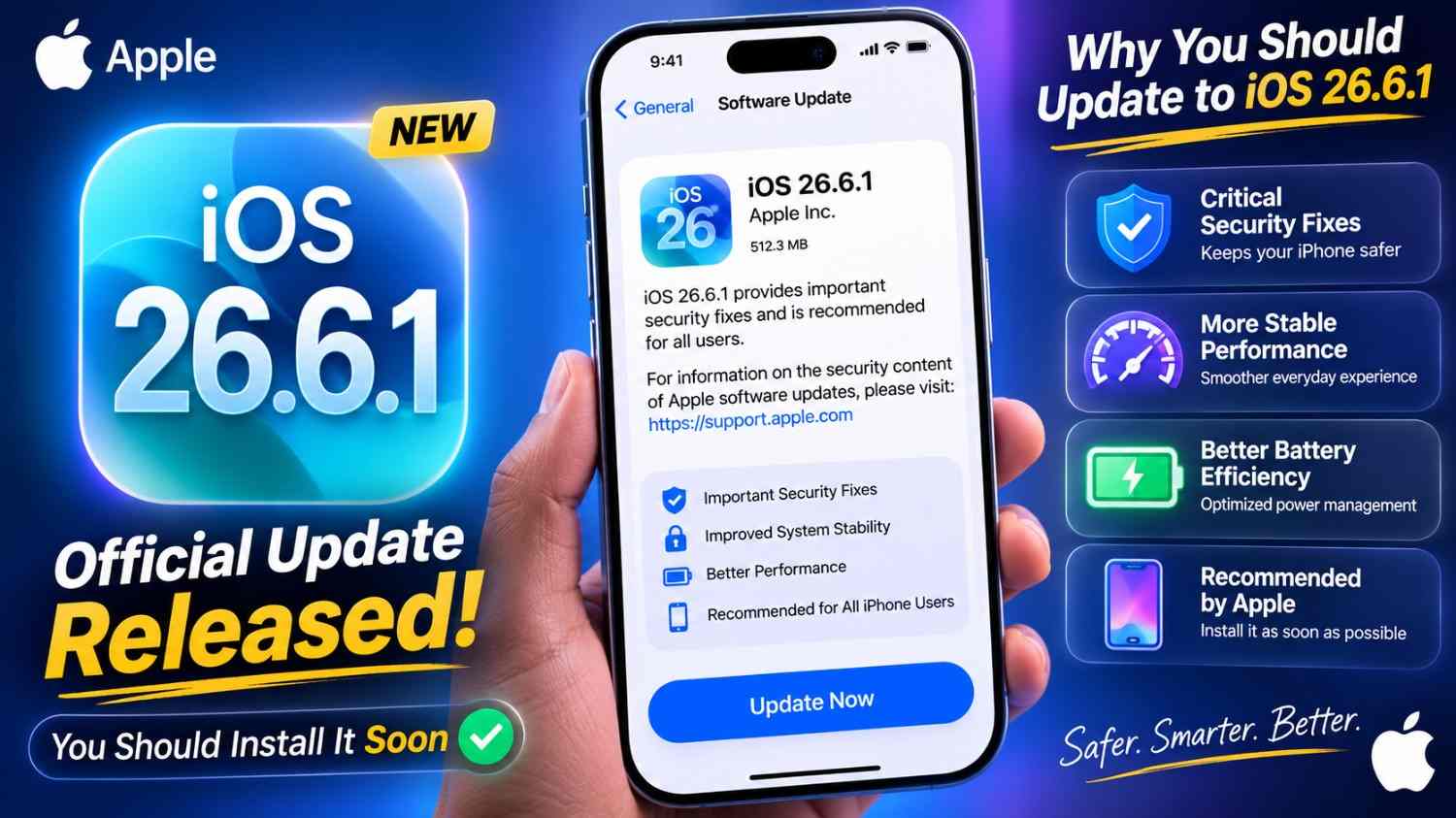
Apple has released iOS 26.6.1 and iPadOS 26.6.1, and unlike a feature-heavy iOS release, this one is primarily about security. Apple released the update on August 17, 2026, with fixes covering several important parts of the operating system, including the kernel, WebKit, ImageIO, IOGPUFamily, Audio and Telephony. (The Economic Times)
That makes iOS 26.6.1 a fairly straightforward recommendation: if your iPhone is compatible and you’re running an older iOS 26 release, I would install it rather than waiting for new features.
The reason is simple. Some of the vulnerabilities Apple patched could potentially result in memory corruption, application crashes, sensitive-data exposure or, in certain circumstances, arbitrary code execution. (Reddit)
What exactly is iOS 26.6.1?
iOS 26.6.1 is a point security update, rather than a major feature release.
You shouldn’t expect a redesigned interface or a long list of new consumer features. The value of this update is mostly behind the scenes: Apple has tightened security controls and corrected vulnerabilities in components that iPhone apps, websites and system services rely on.
Apple’s security documentation explains that the company generally doesn’t disclose security issues until fixes are available, which is why these updates can arrive without much public explanation. (Apple Support)
For everyday users, that’s actually a good thing.
You don’t need to understand every CVE to benefit from the patch.
Why am I recommending the update so quickly?
There are several reasons.
1. WebKit received multiple fixes
WebKit is particularly important because it powers Safari and handles web content across Apple’s platforms.
The iOS 26.6.1 security information lists multiple WebKit vulnerabilities involving crashes, memory corruption, use-after-free conditions and potentially sensitive-data leakage from maliciously crafted websites. (Reddit)
That matters because you don’t have to deliberately install suspicious software to encounter malicious web content.
A compromised advertisement, website or webpage can sometimes become the starting point for an attack.
2. The kernel was also patched
The kernel sits much deeper in the operating system.
iOS 26.6.1 addresses several kernel vulnerabilities, including issues involving use-after-free conditions, out-of-bounds reads and memory corruption. (Reddit)
These aren’t the sort of bugs I’d recommend ignoring simply because your iPhone “works fine.”
A phone can feel completely normal while running software containing a vulnerability.
3. Telephony security was improved
One particularly interesting fix concerns the Telephony component.
Apple’s release information indicates that an attacker in a privileged network position could potentially bypass IPSec authentication and intercept network traffic. Apple addressed the problem with improved authentication and state management. (Reddit)
For people who regularly use public Wi-Fi, travel, or connect to unfamiliar networks, network-security fixes like this are worth taking seriously.
What security problems does iOS 26.6.1 fix?
Apple’s security information lists fixes across several components.
Here are some of the notable categories:
| Component | Potential impact |
|---|---|
| Audio | An app could potentially leak sensitive information |
| ImageIO | Malicious images could cause crashes or potentially enable code execution |
| IOGPUFamily | Malicious web content could cause memory corruption |
| Kernel | Multiple memory-safety and system-stability vulnerabilities |
| Telephony | Possible network traffic interception under specific conditions |
| WebKit | Multiple malicious-web-content vulnerabilities |
The release includes CVE identifiers such as CVE-2026-65339, CVE-2026-65346, CVE-2026-65347, CVE-2026-65343, CVE-2026-65349 and CVE-2026-65329, among others. (Reddit)
The sheer number of WebKit-related fixes is another reason I wouldn’t treat this as an optional “wait and see” update.
Will iOS 26.6.1 improve battery life?
This is where I’d keep expectations realistic.
Don’t install iOS 26.6.1 specifically expecting a major battery-life improvement.
Its main purpose is security.
Some users may experience different battery behavior after updating because iOS can temporarily perform background indexing, optimization and other tasks. Community reports from the first day of availability are mixed, with some users reporting normal or improved battery life and others discussing battery drain. (Reddit)
I wouldn’t judge battery performance immediately after installation.
Give the phone some time to settle before deciding whether the update affected battery life.
What about performance and bugs?
There is a little more nuance here.
iOS 26.6.1 is a security-focused release, so Apple isn’t advertising it as a major performance upgrade.
However, early community feedback is naturally mixed because the update has only just arrived. Some users report no problems, while others are discussing battery, app and installation experiences. (Reddit)
That’s normal for the first few days of a software release.
My approach is simple: security fixes take priority unless you depend on a mission-critical app that has a confirmed compatibility problem.
How do you install iOS 26.6.1?
The safest method is Apple’s built-in Software Update system.
Follow these steps:
- Open Settings.
- Tap General.
- Select Software Update.
- Wait for iOS 26.6.1 to appear.
- Tap Update Now or the available installation option.
- Enter your passcode if requested.
- Allow the iPhone to restart and complete the installation.
Before starting, I’d personally recommend:
- Connect to reliable Wi-Fi.
- Keep the iPhone sufficiently charged or connect it to power.
- Make sure important photos and files are backed up.
- Avoid starting the update when you urgently need the phone.
For a normal iOS 26.6 → 26.6.1 update, the download can be relatively modest, although the amount of temporary storage required can vary by device and starting software version.
My real-world approach: don’t update five minutes before you need your phone
Here’s the scenario I always keep in mind.
Imagine you’re heading out for an important day. Your iPhone contains your UPI apps, banking apps, WhatsApp, authentication codes, travel tickets and work information.
That’s a terrible time to discover that your phone needs an update.
I prefer doing security updates when I have 30–60 minutes of breathing room.
The phone can restart, apps can be checked, and I can make sure cellular connectivity, Wi-Fi, Bluetooth, Face ID and essential apps are behaving normally.
For Indian users, I’d also quickly test Jio or Airtel 5G/4G, UPI payments and WhatsApp after the update.
It takes a few minutes and gives me much more confidence before leaving home.
Should you update from iOS 26.6 to iOS 26.6.1?
Yes, I would.
The argument for waiting is usually stronger when an update introduces major new functionality.
This isn’t that kind of release.
Apple is addressing vulnerabilities in fundamental components of iOS, including WebKit and the kernel. (Reddit)
So if your iPhone is currently running iOS 26.6, I don’t see much benefit in deliberately remaining on the older build.
What if you’re still running an older version of iOS?
I’d be even more inclined to update.
Apple’s previous iOS 26.6 release already contained a substantial collection of security fixes, including vulnerabilities involving sensitive data, arbitrary code execution, kernel behavior and malicious web content. (Apple Support)
If your iPhone is several releases behind, you may therefore be missing more than just the fixes introduced in 26.6.1.
Before updating, make sure your important data is backed up.
Is iOS 26.6.1 a major iOS upgrade?
No.
Think of it as maintenance rather than a redesign.
You won’t install iOS 26.6.1 and suddenly find a completely different iPhone. The interface and everyday experience should remain largely familiar.
The important changes are the ones you probably won’t notice.
That’s exactly what you want from a security patch.
My verdict: install iOS 26.6.1
I’d install iOS 26.6.1 on a compatible iPhone rather than postponing it for weeks.
The update is focused on security, and Apple has patched vulnerabilities affecting WebKit, the kernel, ImageIO, Telephony and other system components. (The Economic Times)
There may be some short-term battery or indexing behavior immediately after installation, and early user reports are naturally mixed. (Reddit)
But for me, the trade-off is easy.
A few minutes spent updating is preferable to knowingly running an older build with publicly documented security weaknesses.
If your iPhone is your banking device, work device, authentication device and personal computer all in one, keeping iOS patched should be part of your normal routine.
My recommendation: back up your iPhone, plug it in, and install iOS 26.6.1 when you have a convenient window today.
FAQs
Is iOS 26.6.1 safe to install?
Yes. iOS 26.6.1 is an official Apple security release, released on August 17, 2026. Its primary purpose is to address security vulnerabilities rather than introduce major new features. (The Economic Times)
What does iOS 26.6.1 fix?
The update addresses vulnerabilities affecting components including Audio, ImageIO, IOGPUFamily, Kernel, Telephony and WebKit. Several fixes address memory corruption, crashes, data exposure and other security risks. (Reddit)
Should I update from iOS 26.6 to 26.6.1?
Yes. If you’re already running iOS 26.6, installing the latest security update is the sensible choice unless you have a specific compatibility issue with an essential app or workflow.
Battery life isn’t the primary purpose of this update. Some users may see different battery behavior immediately after installation while iOS performs background tasks, so it’s better to evaluate battery life after the phone has settled. Early community reports are mixed. (Reddit)
How do I install iOS 26.6.1?
Go to Settings → General → Software Update, then select the available iOS 26.6.1 update. Before installing, keep your iPhone connected to power or sufficiently charged and make sure important data is backed up.
Quick Summary
iOS 26.6.1: Released August 17, 2026
Main purpose: Security fixes
Key areas: WebKit, Kernel, ImageIO, IOGPUFamily, Telephony, Audio
Recommendation: Install the update
Best time: When you have a few minutes and don’t urgently need your iPhone
Apple’s security release documentation is the best place to check the official vulnerability details as Apple updates its advisories. (Apple Support)