












VPN Explained:
Do You Really Need One?
1.75 billion people now use VPNs — but is that because they’re genuinely essential, or just very well marketed? I tested five major VPN services for this guide, and the honest answer might surprise you.
Every few months I get the same question from a reader in my inbox: “Bhavik, should I pay for a VPN? Is it actually worth it?” And honestly, the answer is more nuanced than the VPN industry wants you to believe.
VPN companies spend hundreds of millions of dollars on marketing. You see their ads everywhere — YouTube pre-rolls, podcast sponsorships, tech blogs, even Formula 1 cars. They want you to believe that without a VPN, you are essentially browsing the internet in your underwear on a busy street corner. That is… not quite accurate.
The truth is: VPNs are genuinely useful — in specific situations. They are not magic cloaks of invisibility. They protect you from some threats. They do absolutely nothing against others. And choosing the wrong one (especially a free one) can actually make your privacy worse.
In this guide, I’ll explain exactly how VPNs work in plain language, walk you through every situation where they help (and where they don’t), and give you an honest comparison of the five best VPNs in 2026 — including rupee pricing for Indian readers.
🔰 New to online security? Read our complete Cybersecurity for Beginners Guide first.
VPN stands for Virtual Private Network. Before I explain what that means, let me describe what happens when you browse without one.
Normally, when you type “google.com” into your browser, your request travels from your device to your Internet Service Provider (ISP — Jio, Airtel, BSNL, Comcast, etc.), then through various servers until it reaches Google. At every step, your ISP can see exactly what you’re doing. They can see which websites you visit, when you visit them, and for how long. Your IP address — a unique number identifying your device on the internet — is visible to every website you visit.
A VPN places an encrypted middleman between your device and the internet. All of your traffic is first routed to the VPN’s servers, scrambled with military-grade encryption, and then forwarded to the destination website. From the outside world’s perspective, your traffic appears to come from the VPN server’s location — not your home.
The result? Your ISP sees only encrypted noise. The website you’re visiting sees the VPN server’s IP address, not yours. Anyone monitoring the Wi-Fi network you’re on (like at a cafe) can’t intercept your data because it’s encrypted end-to-end from your device to the VPN server.
Three things a VPN does: encrypts your internet traffic, hides your real IP address, and can make your connection appear to originate from a different country.
When you connect to a VPN, your device and the VPN server perform a “handshake” — they agree on an encryption method and exchange keys. From that point on, every byte of data you send is encrypted before it leaves your device using typically AES-256 encryption — the same standard used by governments and militaries worldwide.
The encrypted data travels through what’s called a tunnel — a dedicated connection pathway. Different VPNs use different protocols to build this tunnel:
The newest and fastest VPN protocol. Uses lean code (~4,000 lines vs OpenVPN’s 100,000+), resulting in faster speeds and better battery efficiency. Used by NordVPN (as NordLynx) and Surfshark. Best for most users in 2026.
The long-time gold standard. Slower than WireGuard but extremely well-audited and trusted. Open-source — meaning security researchers worldwide have combed through every line of code. Best for maximum security.
Excellent for mobile devices — reconnects almost instantly when you switch between Wi-Fi and mobile data. Very fast. Built into iOS and Android natively. Popular choice for smartphones.
Disguises VPN traffic to look like regular HTTPS traffic. Used to bypass VPN blocks in countries with heavy censorship (China, Iran, Russia). ProtonVPN’s Stealth protocol is the leader here in 2026.
When your request exits the VPN server and heads to its destination (say, YouTube or your bank), it appears to come from the VPN server’s IP address. YouTube sees a request from, say, a US-based IP — not from your actual location in Gujarat.
Let me be specific about the situations where a VPN provides real, meaningful protection — not just theoretical security theatre.
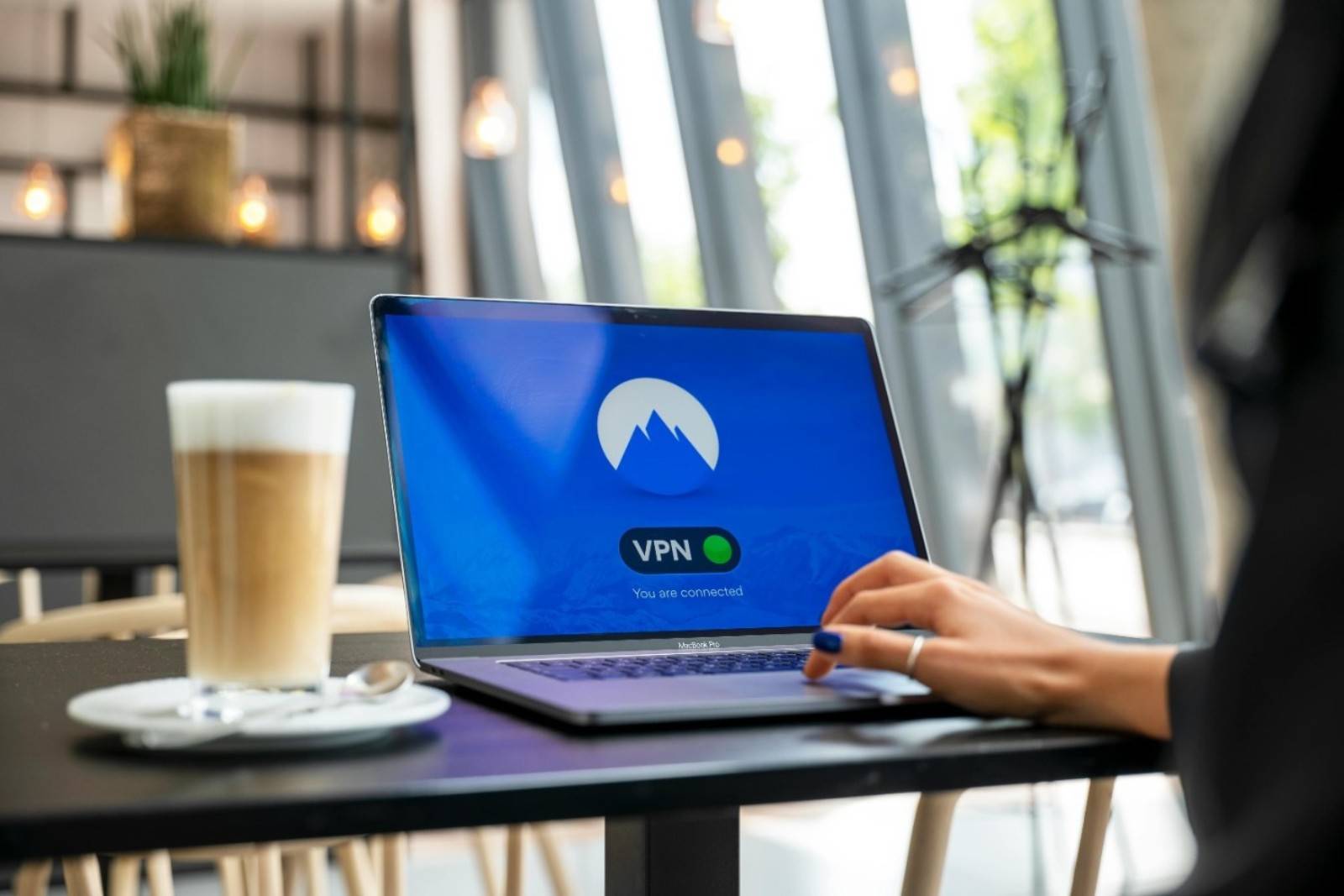
Airport lounges, coffee shops, hotel networks, college campus Wi-Fi — these open networks let anyone on the same network potentially monitor traffic. A VPN encrypts everything before it leaves your device.
Your ISP logs every website you visit and can legally sell or share this data in many countries. A VPN prevents your ISP from seeing your browsing history — they only see encrypted traffic to the VPN server.
Netflix US has thousands more titles than Netflix India. BBC iPlayer is UK-only. YouTube content can be region-blocked. A VPN lets you appear to be in a different country and access this content.
Securely connecting to your company’s internal network from home requires a VPN — 86% of organisations use VPN for exactly this. This is actually the original use case VPNs were designed for.
Gamers use VPNs to connect to game servers in different regions for better matchmaking, early access to game launches, or avoiding ISP throttling on gaming traffic.
When travelling, a VPN lets you access your home country’s services (banking apps with geo-restrictions, local streaming), and protects you on foreign networks where you can’t vouch for network security.
This section is what most VPN marketing glosses over entirely — because it’s bad for business. Here is what a VPN genuinely cannot do:
If you click a fake link in an email and enter your password on a fake website, a VPN provides zero protection. Phishing attacks don’t care about your IP address — they care about your credentials.
A keylogger, spyware, or ransomware that’s already installed on your device operates independently of your VPN connection. It can exfiltrate data through the encrypted VPN tunnel just as easily as without one.
Google, Facebook, and advertisers track you through cookies and browser fingerprinting — not your IP address. A VPN doesn’t delete cookies or change your browser fingerprint. You need a tracker blocker for this.
If your passwords are weak or reused across sites, no amount of VPN protection prevents a credential stuffing attack. Password security is more important than VPN for individual account safety.
💡 Recommended: Learn how to lock down your entire digital life in our Cybersecurity for Beginners roadmap.
- Verified no-logs policy: The VPN must not store any record of your browsing activity. This must be independently audited — not just a marketing claim. Look for annual audits by firms like Cure53, Deloitte, or KPMG.
- Kill switch: If the VPN connection drops, a kill switch immediately cuts your internet connection — preventing your real IP from leaking during the outage. Essential. Non-negotiable.
- Strong encryption protocol: AES-256 encryption + WireGuard or OpenVPN protocol. Anything less is a red flag.
- RAM-only servers: Servers that run entirely on RAM (not hard drives) automatically erase all data when powered off. Even if seized by authorities, there’s nothing to hand over. NordVPN and ExpressVPN use this technology.
- DNS leak protection: Even with a VPN active, DNS requests can sometimes bypass the tunnel and reveal your browsing to your ISP. Proper DNS leak protection ensures all DNS requests go through the encrypted tunnel.
- Jurisdiction matters: VPNs in 14-Eyes countries (US, UK, Canada, Australia + others) are subject to intelligence-sharing agreements. Swiss-based ProtonVPN and Panama-based NordVPN are outside this network.
- Speed and server count: More servers = less congestion = faster speeds. NordVPN has 6,400+ servers in 111 countries. ProtonVPN has 18,600+ servers in 129 countries as of 2026.
- Red flag — “Military grade” marketing: Every VPN uses “military-grade AES-256” — it’s an industry standard, not a differentiator. Any VPN emphasizing this as a special feature is overmarketing.
- Red flag — No independent audit: If a VPN claims a no-logs policy but has never been independently audited, that claim is worth nothing. Premium VPNs get audited annually.
- Red flag — Headquarters in a data-sharing country: VPNs based in the US or EU can be compelled by law to hand over user data. For maximum privacy, choose providers outside 14-Eyes jurisdiction.
I tested these five VPNs personally across speed, streaming, privacy features, and ease of use. Here is my honest assessment — no paid placements or affiliate bias in the rankings (though standard affiliate links are disclosed at the bottom).
| VPN | Monthly (2yr) | India ₹/mo | Servers | Protocol | Logs | Best For | Score |
|---|---|---|---|---|---|---|---|
| NordVPN Best Overall | $3.09/mo | ~₹259 | 6,400+ / 111 countries | NordLynx (WireGuard) | ✅ Audited | Security, streaming, gaming | |
| Surfshark Best Budget | $1.99/mo | ~₹167 | 3,200+ / 100 countries | WireGuard | ✅ Audited | Families, budget users | |
| ProtonVPN Privacy First | $2.99/mo | ~₹250 | 18,600+ / 129 countries | WireGuard + Stealth | ✅ Audited (Swiss) | Journalists, activists, privacy | |
| ExpressVPN | $6.67/mo | ~₹560 | 3,000+ / 105 countries | Lightway | ✅ Audited (RAM servers) | Speed, streaming, ease of use | |
| ProtonVPN Free Free Tier | $0 | ₹0 | Limited (3 countries) | WireGuard | ✅ Audited (Swiss) | Testing VPNs, occasional use |
NordVPN has been the most consistently top-rated VPN across independent review sites for several years running — and in my testing, I understand why. The NordLynx protocol (their custom implementation of WireGuard) delivers tested speeds of 1,256 Mbps — faster than most home internet connections, meaning you will never feel a slowdown.
Their Threat Protection Pro feature goes beyond VPN — it blocks malware, trackers, and ads at the network level, even when the VPN is disconnected. The no-logs policy has been independently audited by Deloitte, and all servers run on RAM with no hard drives. NordVPN is headquartered in Panama — outside 14-Eyes jurisdiction. In July 2025, they added scam call protection on Android.
My verdict: The best VPN for most people who want security, speed, and streaming ability in one package. If you’re picking just one VPN, this is it.
Surfshark is the fastest VPN I tested in 2026 — recording 1,615 Mbps download speeds, edging out even NordVPN. More importantly, it offers unlimited simultaneous connections — meaning one subscription covers your phone, laptop, tablet, smart TV, and your family’s devices. For a household, this is exceptional value.
The Dynamic MultiHop feature routes your traffic through two VPN servers for extra privacy. Split tunneling on macOS is a unique feature. Surfshark is slightly behind NordVPN on the number of countries covered (100 vs 111), and its streaming unblocking isn’t quite as reliable on some platforms — but for the price, it’s exceptional.
If privacy is your absolute priority — if you’re a journalist, activist, researcher, or simply someone who won’t compromise on trust — ProtonVPN is the answer. Switzerland’s federal law provides some of the strongest personal privacy protections on earth, and ProtonVPN’s code is fully open-source (meaning any security researcher in the world can inspect it for vulnerabilities).
In 2026 speed tests by Security.org, ProtonVPN placed first overall in upload speed with only an 8% decrease in download speed — making it genuinely usable, not just private. Secure Core routes your traffic through privacy-friendly countries (Switzerland, Iceland, Sweden) before exiting, adding an extra anonymization layer. The Stealth protocol disguises VPN traffic as HTTPS — essential for users in censored regions.
From India, tested speeds were 184 Mbps download (8% drop) and 108 Mbps upload on Indian servers. ProtonVPN has 18,600+ servers — more than NordVPN, Surfshark, and ExpressVPN combined.
ExpressVPN is the premium-tier option — more expensive than the others, but justified by the best mobile apps in the industry and flawless router integration. In February 2026, ExpressVPN launched a major expansion: ExpressAI (AI platform), ExpressMailGuard (email protection), Identity Defender (identity monitoring for US users), and ExpressKeys (standalone password manager).
Speed-wise, ExpressVPN’s Lightway protocol achieved 489 Mbps in TechRadar’s 2026 tests — noticeably behind NordVPN and Surfshark, but fast enough for any real-world use case. It remains the best choice if you want to set up VPN directly on your router to protect your entire home network.
India has the third-largest VPN market in the world at ₹96,000 crore (~$11.6 billion), behind only China and Indonesia. Indian internet users are among the world’s most active VPN users — primarily for streaming, privacy from ISP monitoring, and accessing content not available in India.
Best VPNs Specifically for Indian Users in 2026
- NordVPN — Best overall for India: Removed physical India servers post-CERT-In (protecting your privacy), uses RAM-only servers in Singapore/UK. Starting at ~₹259/month (2-year plan). Tested 184 Mbps from India via Singapore server. Scam call protection added in 2025 — especially relevant for Indian mobile users.
- Surfshark — Best budget for India: ~₹167/month is the most affordable premium VPN available. Unlimited devices means one subscription for the whole family. Good streaming performance on Netflix US and BBC iPlayer from India.
- ProtonVPN Free — Best free option for India: Genuinely safe free tier (unlike 99% of free VPNs). Swiss jurisdiction. Limited to 3 server locations and slower speeds, but trustworthy for occasional use without spending anything.
- Avoid any VPN claiming India servers under ₹100/month: These almost certainly maintain no-logs compliance in name only, or sell your data. The CERT-In rules have made the Indian VPN market a minefield for fake providers.
The app stores are full of free VPN apps with millions of downloads and glowing reviews. The uncomfortable truth: the vast majority of free VPNs are either useless, ineffective, or actively harmful to your privacy.
Running a VPN infrastructure costs millions in servers, bandwidth, and engineering. A free VPN without a monetisation model has only one asset to sell: your browsing data. If you’re not paying, you’re the product.
— Privacy principle in cybersecurity, consistently validated by academic researchA 2020 CSIRO study of 283 VPN apps found that 72% contained at least one tracking library, 38% contained malware, and 18% didn’t encrypt traffic at all — despite claiming to. Many of the most downloaded free VPN apps on Android and iOS have been caught logging and selling user data.
Free VPNs You Can Actually Trust
- ProtonVPN Free — Our #1 recommendation: Swiss-based, open-source, independently audited. The free tier has no data cap (unique among free VPNs) but limits you to servers in 3 countries (Netherlands, US, Romania) and doesn’t include the fastest servers. Completely trustworthy — ProtonVPN’s business model is paid upgrades, not data sales.
- Windscribe Free: 10GB/month free data. Canadian company. Transparent about what data they collect. No-logs audited. Good enough for occasional public Wi-Fi use. Upgrade to paid ($5.75/month) for unlimited data.
- ProtonVPN Free (mobile): Same as above but also available on Android/iOS. The free mobile app includes a stealth mode icon feature (disguises the app as a calculator or notes app on your phone).
- Hola VPN — Actively dangerous: Routes your traffic through other users’ devices, making your bandwidth available to strangers. Your device could be used as an exit node for others’ traffic, including illegal activity. Widely condemned by the security community.
- Most “VPN Master” / “VPN Proxy” apps on Play Store: These generic-named apps are extremely common in India and almost universally log your data and display intrusive ads funded by selling browsing history. Avoid entirely.
- Opera VPN: Not a real VPN — it’s a proxy that only covers browser traffic. It logs and shares data with third parties. The “VPN” label is misleading marketing.
Setting up a premium VPN is genuinely simple. Here is the process for NordVPN (the same steps apply to Surfshark and ProtonVPN):
- Choose and subscribe: Go to nordvpn.com (or your chosen provider), select the 2-year plan for best value, create an account, and pay. Takes 3 minutes.
- Download the app: Download the app for your device — NordVPN has apps for Windows, Mac, iOS, Android, Linux, and browser extensions for Chrome and Firefox. Install it.
- Log in: Open the app, log in with your account credentials.
- Connect: Click “Quick Connect” — the app automatically selects the fastest server near you. You’re now protected. The whole UI takes one tap on mobile.
- Enable Kill Switch: Go to Settings → Kill Switch → Enable. This is the one setting you should configure immediately after connecting for the first time.
- Set up Split Tunneling (optional): If you want banking/UPI apps to bypass the VPN, go to Settings → Split Tunneling → Add the specific apps you want to exclude.
- Test it: Visit whatismyipaddress.com — your IP should now show the VPN server’s location, not your real location. If it does, you’re fully protected.
Best speed, best streaming, best security features, independently audited. At ~₹259/month on the 2-year plan, it is accessible and genuinely excellent. If you read this entire guide and still aren’t sure, choose NordVPN with the 30-day refund guarantee.
Unlimited simultaneous devices at ~₹167/month. One subscription for every device in your household. Fastest tested speeds. Slightly behind Nord on streaming reliability but excellent for everyday use.
Swiss law. Open-source. Audited. Secure Core. Best for anyone with genuine privacy concerns — journalists, researchers, activists. Also the only free VPN worth recommending (unlimited data, no logs).
If you’re not sure whether you need a VPN yet, start with ProtonVPN’s free tier. No credit card. No time limit. No data cap. Swiss privacy. If you find yourself wanting faster speeds or more server locations, upgrade to a paid plan.
📖 Recommended Reading
Highest Paying Programming Languages to Learn in 2026
Discover which coding languages command the biggest paychecks and dominates the tech industry this year.
Blueprint for Scoring Remote Freelance Tech Jobs With Zero Experience
A complete step-by-step roadmap to land your first remote tech client without a portfolio.