
techbhavik.com · 8 min read · Updated 2026
You spend hours optimizing your workflow, your code, and your development tools—so why is your living space still running on dumb switches and manual thermostats? In 2026, a truly smart home doesn’t just react to voice commands; it anticipates your needs, adjusting your environment so you can stay in a state of deep flow while saving you time every single day.
As a tech professional myself, my journey into home automation started because I was tired of micro-managing my environment while trying to focus on deep work. Over the last few years, I’ve transformed my own home into a fully automated workspace, moving away from simple voice commands to deep AI-driven routines. After testing dozens of hubs, sensors, and switches in my own office, I’ve learned exactly which devices deliver professional-grade reliability and which ones are just flashy, overhyped gimmicks.
Table of Contents
What we cover in these articles
In fact, my neighbor, Rahul, recently came over to check out my workspace and noticed how my outdoor security, ambient office lighting, and climate zones seamlessly adapt throughout the day without a single dropped Wi-Fi connection. He told me, “Bhavik, I’ve spent hundreds on smart plugs and they constantly go offline—how is your setup this stable?” That conversation is exactly why I wrote this guide. I’m sharing the exact, battle-tested hardware that has streamlined my daily routines and saved me hours of trivial manual tasks every single week.
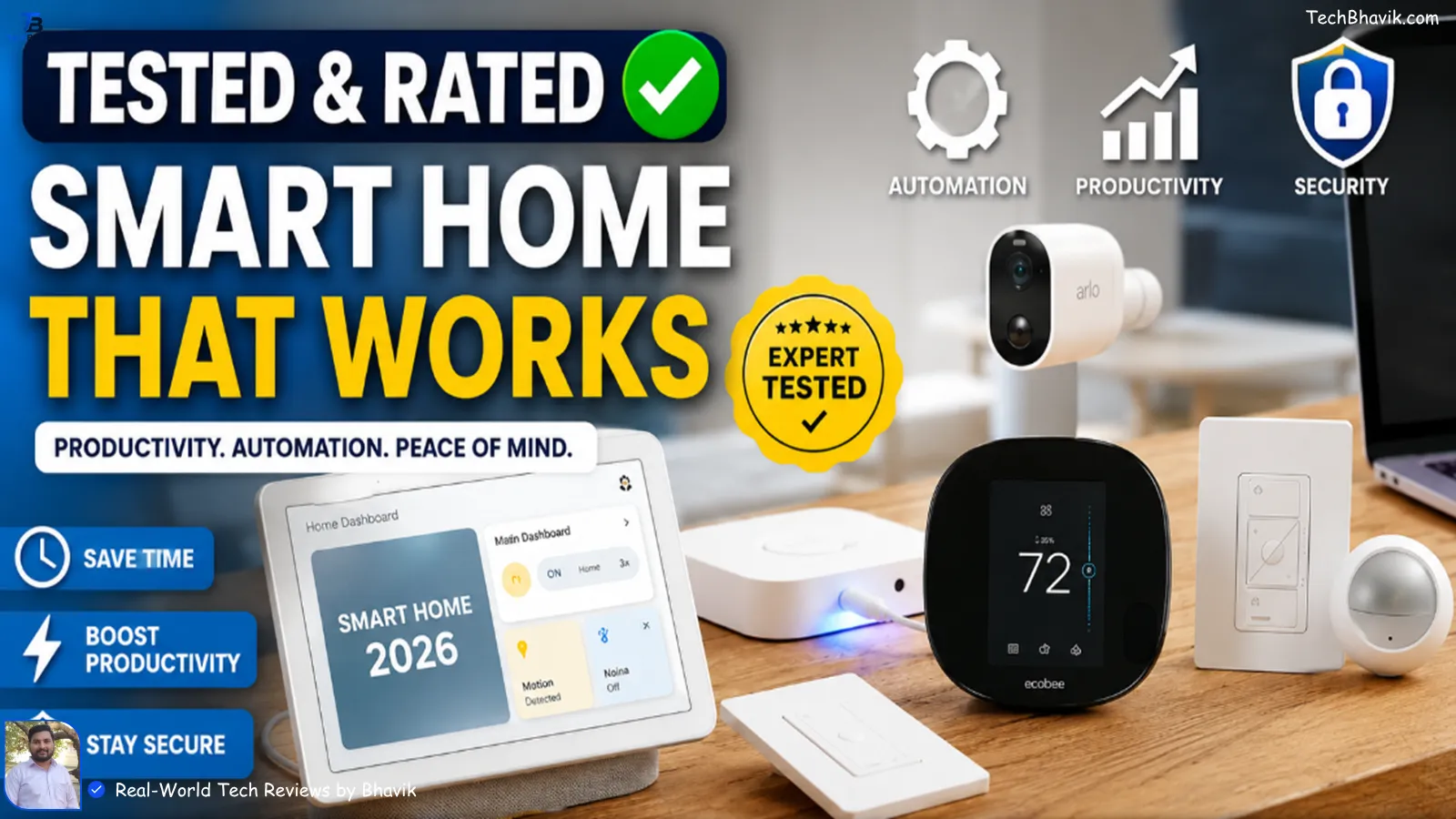
This guide covers the 10 best smart home devices for tech professionals — people who care about reliability, ecosystem compatibility, and real-world productivity gains, not just flashy demos.
Quick Answer The best smart home devices for tech professionals in 2026 include the Google Nest Hub Max, Philips Hue Bridge Pro, Ecobee Smart Thermostat, Aqara Doorbell Camera Hub G410, and Amazon Echo Show 10. These devices offer the best combination of AI features, Matter compatibility, and professional-grade reliability.
All 10 Smart Home Devices at a Glance
| sr | Device | Category | Best For | Ecosystem |
|---|---|---|---|---|
| 1 | Google Nest Hub Max | Smart Display | Central home control | Google Home |
| 2 | Philips Hue Bridge Pro | Smart Lighting | Full lighting automation | All major platforms |
| 3 | Ecobee Smart Thermostat | Climate Control | Energy savings + comfort | Alexa, Google, HomeKit |
| 4 | Aqara Doorbell Camera Hub G410 | Security | Multi-ecosystem security hub | Matter, HomeKit, Alexa |
| 5 | Amazon Echo Show 10 | Smart Display | Voice control + video calls | Alexa |
| 6 | Lutron Caséta Smart Dimmer | Smart Switch | Reliable light control | All major platforms |
| 7 | Arlo Essential Indoor 2K | Security Camera | AI-powered home monitoring | Arlo, Alexa, Google |
| 8 | SwitchBot K11+ Robot Vacuum | Automation | Hands-free cleaning | Alexa, Google, HomeKit |
| 9 | Google Nest Doorbell (3rd Gen) | Security | AI video search + alerts | Google Home, Gemini AI |
| 10 | Nanoleaf Smart Multicolor Floor Lamp | Smart Lighting | Ambiance + productivity lighting | Matter, HomeKit, Alexa |
The 10 Best Smart Home Devices for Tech Professionals
Device 1 Smart Display Google Nest Hub Max — Best Overall Smart Display
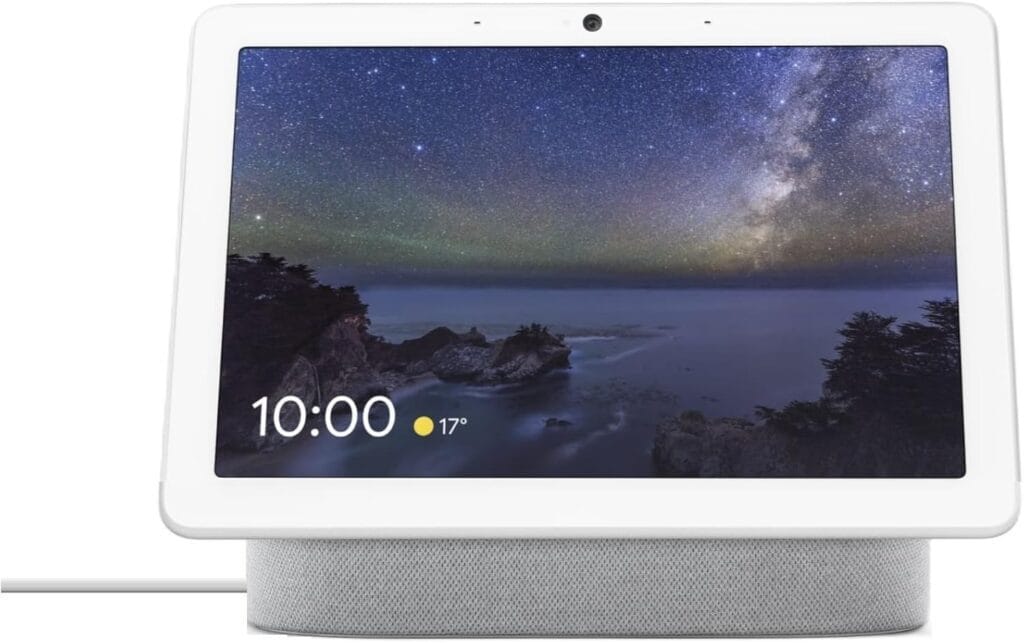
1. Google Nest Hub Max — Best Overall Smart Display
The Google Nest Hub Max is the command center every tech professional needs. It combines a 10-inch HD display, Google Assistant, and Gemini AI into one always-on hub.
The Google Nest Hub Max is the command center every tech professional needs. It combines a 10-inch HD display, Google Assistant, and Gemini AI into one always-on hub that controls every device in your home from a single screen.
Why tech professionals love it: The Nest Hub Max lets you see your calendar, control smart devices, make video calls, and monitor security cameras — all without picking up your phone. Gemini AI powers natural language home control that actually understands context.
Gemini AI Built-in10″ HD DisplayGoogle Home EcosystemWorks with Matter
💡 Pro Tip: Set it up next to your workstation and use it as a second screen for your Google Calendar and home dashboard while working.
Device 2 Smart Lighting Philips Hue Bridge Pro — Best Smart Lighting System
The 2026 Philips Hue Bridge Pro is the most capable smart lighting controller available today. It supports over 200 Hue devices — 150 lights plus accessories — and turns every room into a motion-sensitive zone automatically.
Why tech professionals love it: Schedule focus lighting for deep work sessions, wind-down amber lighting after 9 PM, and bright white light for video calls — all automated and triggered by time or presence detection.
200+ Device Support, Motion Zone Detection, Works with All EcosystemsMatter Compatible
💡 Pro Tip: Create a “Focus Mode” scene with 4000K cool white light and automate it to trigger when your work calendar shows a meeting.
Device 3 Climate Control Ecobee Smart Thermostat Premium — Best for Energy Savings
📸Ecobee thermostat on the wall showing temperature schedule. “Ecobee Smart Thermostat Premium showing energy savings dashboard.”

The Ecobee Smart Thermostat Premium pays for itself within one to two years through energy savings alone. Its wireless room sensors detect occupancy and temperature in specific rooms, giving you precise climate control without wasting energy on empty spaces.
Why tech professionals love it: Ecobee connects with Alexa, Google Home, and Apple HomeKit simultaneously. Its energy reports give you data-driven insights into your consumption — exactly the kind of information a tech professional appreciates.
Pays for Itself in 1-2 Years Room Sensor Support (30+)Air Quality MonitoringAlexa + Google + HomeKit
💡 Pro Tip: Use geofencing to automatically lower the AC when you leave for the office and pre-cool your home 30 minutes before you return.
Device 4: Security Hub Aqara Doorbell Camera Hub G410 — Best Multi-Ecosystem Security Hub
📸Aqara doorbell camera installed at the front door. “Aqara Doorbell Camera Hub G410 installed, showing live feed on phone.”

The Aqara G410 is one of the most technically impressive devices on this list. It functions as a doorbell camera AND a full Matter-compatible smart home hub with built-in Thread and Zigbee radios — replacing two separate devices with one.
Why tech professionals love it: It works natively with Apple HomeKit, Amazon Alexa, and Google Home simultaneously. Tech professionals who want maximum compatibility without vendor lock-in will appreciate this flexibility.
Matter + Thread + ZigbeeHomeKit Secure VideoWorks as Smart Home HubApple + Alexa + Google
💡 Pro Tip: Use it as your primary Thread border router to future-proof your smart home setup for all upcoming Matter devices.
Device 5 Smart Display Amazon Echo Show 10 — Best for Alexa Power Users
📸 Echo Show 10 rotating to follow user: “Amazon Echo Show 10 smart display with rotating screen showing Alexa interface.”

The Echo Show 10 features a motorized display that rotates to follow you around the room — making it perfect for video calls, cooking, or monitoring your home while moving around. It is the most versatile Alexa device available.
Why tech professionals love it: Deep Alexa integration means you can control thousands of smart home devices, set complex routines, and use it as a video conferencing display for quick Zoom or Teams calls.
Rotating 10″ Display360-Degree CameraAlexa RoutinesZigbee Hub Built-in
💡 Pro Tip: Set a morning routine that shows your calendar, news briefing, and weather as soon as it detects motion in your kitchen each morning.
Device 6: Smart Switch Lutron Caséta Smart Dimmer — Most Reliable Smart Switch
📸Lutron Caséta switch on wall plate: “Lutron Caséta Diva Smart Dimmer installed on wall controlling room lighting”

Lutron Caséta uses proprietary Clear Connect RF technology instead of Wi-Fi or Zigbee — which means it never drops connection and has zero interference issues. It is the most rock-solid smart switch system money can buy.
Why tech professionals love it: Unlike cheap Wi-Fi switches that go offline when your router restarts, Lutron works 100% of the time. It is compatible with Alexa, Google Home, Apple HomeKit, and even Sonos speakers.
Clear Connect RF (Never Drops)Works with All EcosystemsNo Neutral Wire NeededSonos Compatible
💡 Pro Tip: If you only buy one smart switch brand for your entire home, make it Lutron. The reliability difference vs cheap alternatives is immediately noticeable.
Device 7: Security Camera Arlo Essential Indoor 2K — Best AI-Powered Security Camera
📸 Arlo camera mounted in the corner of the room: “Arlo Essential Indoor 2K security camera with AI detection showing live feed.”

The Arlo Essential Indoor 2K delivers sharp 2K video with a 360-degree pan and tilt motor, all powered by Arlo Intelligence AI that detects people, vehicles, animals, and packages separately — no more false alerts from shadows or wind.
Why tech professionals love it: AI-powered smart alerts mean you only get notified when something actually matters. The 360-degree coverage from a single camera eliminates blind spots without buying multiple units.
2K Video Resolution360° Pan + 180° TiltAI Object DetectionAlexa + Google Compatible
💡 Pro Tip: Place it near your home office door to automatically log entry and exit times — useful for tracking when deliveries arrive while you’re deep in work.
Device 8: Home Automation SwitchBot K11+ Robot Vacuum — Best Automation for Professionals
📸 SwitchBot K11+ navigating a room: “SwitchBot K11+ robot vacuum and mop cleaning floor autonomously.”

The SwitchBot K11+ combines vacuuming and mopping into one compact unit — and unlike most robot vacuums, it actually works reliably on a daily schedule. Its OmniGrip arm can detect and pick up small objects like socks and sandals before vacuuming over them.
Why tech professionals love it: Set it to clean every day at a fixed time and forget it exists. That is the real value — one fewer thing to think about during a packed workday.
Vacuum + Mop ComboOmniGrip Object DetectionHomeKit + Alexa + GoogleDaily Schedule Automation
💡 Pro Tip: Schedule it to run every weekday at 9 AM — right after you sit down at your desk. Your floor stays clean without any effort.
Device 9: Smart Security Google Nest Doorbell (Wired, 3rd Gen) — Best AI Doorbell Camera
📸 Nest Doorbell installed at front door, phone showing Gemini AI alert: “Google Nest Doorbell 3rd generation showing Gemini AI natural language video search”

The third-generation Nest Doorbell is powered by Google’s Gemini AI, which lets you search your entire recording history using natural language — just type “blue car in driveway on Tuesday” and it finds the clip instantly without scrubbing timelines.
Why tech professionals love it: Gemini AI summaries mean you get a written description of every event, not just a video clip. This is a genuinely game-changing feature for anyone with a busy schedule.
Gemini AI Video SearchNatural Language Alerts2K HDR VideoGoogle Home Ecosystem
💡 Pro Tip: Pair it with Google Nest Hub Max so visitor alerts automatically pop up on your home display while you are working.
Device 10: Smart Lighting Nanoleaf Smart Multicolor Floor Lamp — Best for Work-from-Home Setup
📸Nanoleaf floor lamp glowing beside a work desk: “Nanoleaf Smart Multicolor Floor Lamp illuminating a home office setup”

Nanoleaf’s first-ever floor lamp brings their signature multicolor lighting to your home office or living space in a sleek standing form factor. It supports Matter and works with Apple HomeKit, Amazon Alexa, and Google Home out of the box.
Why tech professionals love it: Set warm amber light for evening relaxation, cool white for focus work, and vivid colors for video call backgrounds — all controllable via voice or app without getting up from your chair.
Full RGB MulticolorMatter + Thread NativeHomeKit + Alexa + GoogleWork-from-Home Optimized
💡 Pro Tip: Create a “Video Call” scene with 5500K neutral white behind you — it dramatically improves how you look on Zoom and Google Meet.
Our Verdict If you’re building a smart home from scratch, start with the Google Nest Hub Max as your control center, Philips Hue Bridge Pro for lighting, and the Ecobee thermostat for climate. These three alone will transform how your home feels and functions daily.
Also Read: Best AI Tools For Students
Bhavik’s: Frequently Asked Questions
What is the best smart home ecosystem for tech professionals in 2026?
Google Home is the best choice in 2026 thanks to Gemini AI integration, strong Android compatibility, and wide device support. Apple HomeKit is better for iPhone users who prioritize privacy. The Matter standard now lets devices work across all ecosystems, so you don’t have to choose just one.
Is Matter compatibility important when buying smart home devices?
Yes — always prioritize Matter-compatible devices in 2026. Matter is an open standard that ensures your devices work across Google Home, Apple HomeKit, Amazon Alexa, and Samsung SmartThings. It future-proofs your investment and eliminates vendor lock-in.
How much should a tech professional budget for a smart home setup?
A solid starter setup — smart display, smart lighting, thermostat, and one security camera — typically costs between $400 and $700. Start with 3 to 5 devices, master the automation, then expand. Buying too many devices at once is the biggest mistake most people make.
Do smart home devices work without internet?
Most smart home devices require internet for cloud features and remote access. However, Matter devices process many commands locally, meaning basic controls like turning lights on or off still work even if your internet goes down. Lutron Caséta in particular is famous for working reliably without depending on cloud servers.
Final Discussion by Bhavik :
The best smart home devices for tech professionals are not the ones with the most features — they are the ones that work reliably, integrate seamlessly, and actually save you time. Every device on this list has been chosen for real-world utility, not just spec sheets.
Start with the Google Nest Hub Max or Amazon Echo Show 10 as your control hub, add Philips Hue lighting and an Ecobee thermostat, and you will have a genuinely smart home that works for you — not the other way around.
As Matter compatibility becomes standard across all new devices in 2026, now is the best time to invest in a smart home setup that will stay relevant for years to come.
Also check: