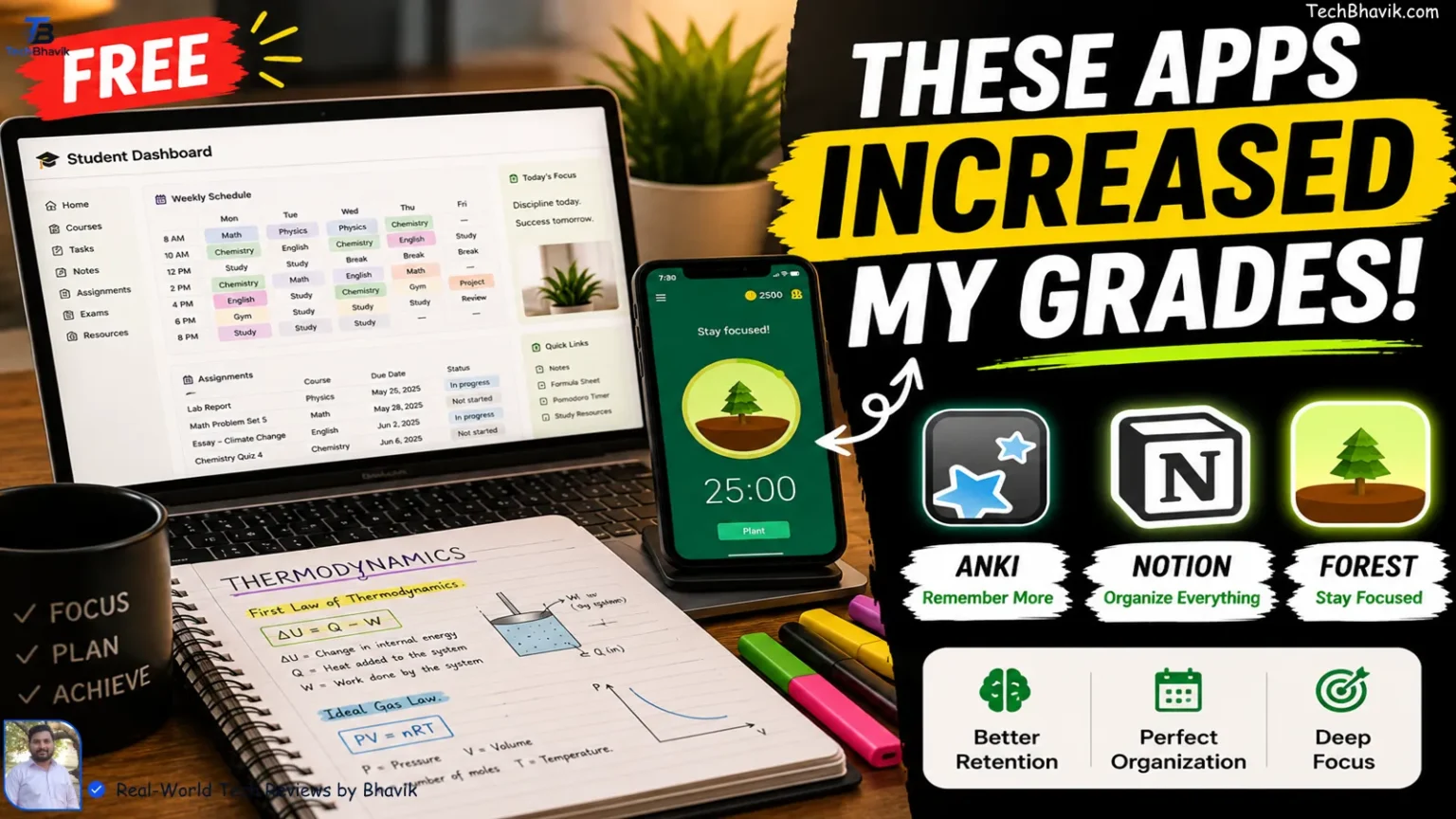
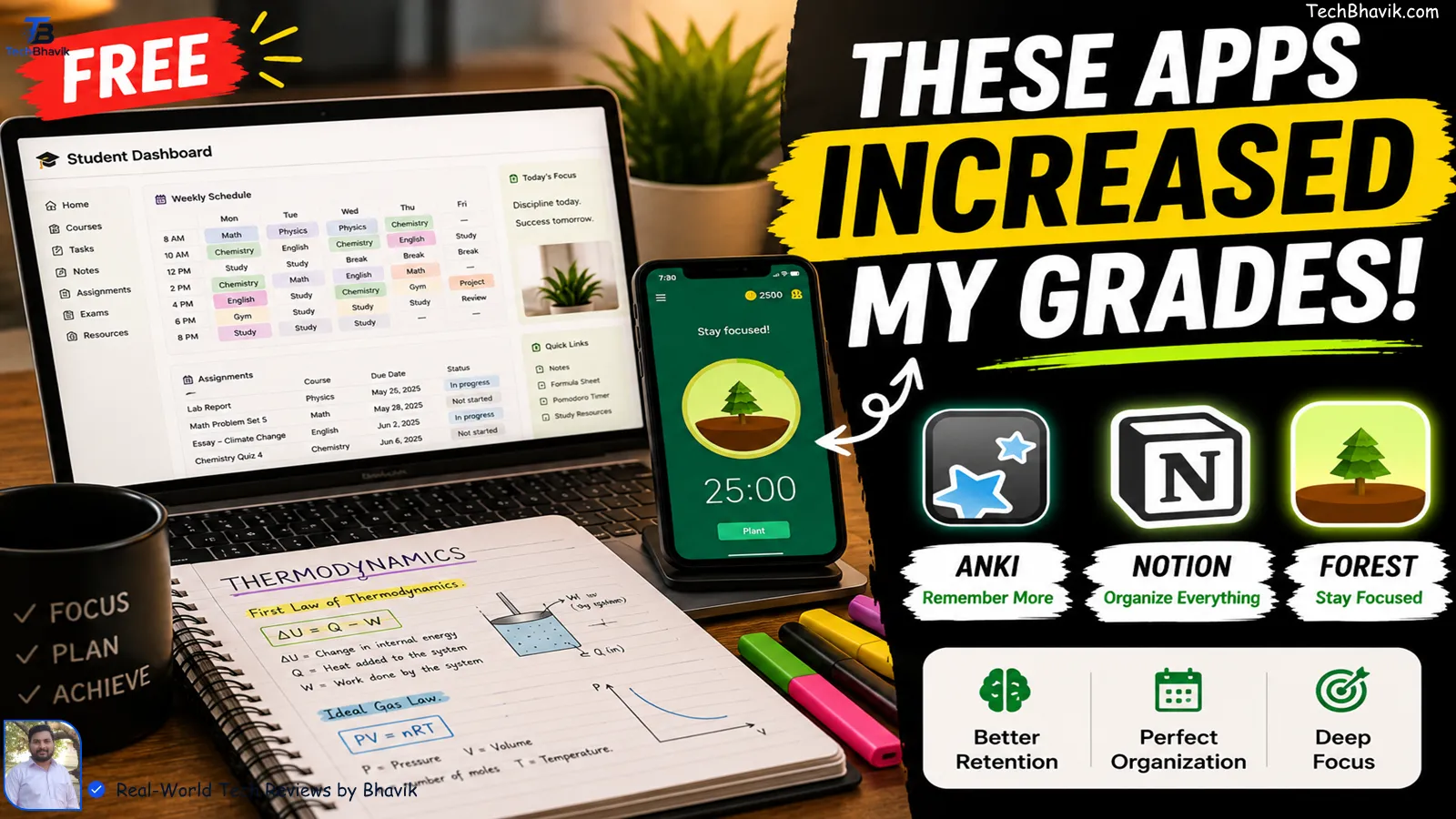
The Ultimate Study Blueprint: Tested by Real Students(Bhavik), Not Algorithms
Let’s be honest for a second, I research something new, powerful items (apps) for students who study smart. If you search for “best study apps” right now, you’ll find twenty different blogs serving you the exact same list, probably written by an AI or someone who hasn’t stepped into a classroom in a decade. Quizlet. Notion. Forest. Repeat. It feels copy-pasted, mechanical, and frankly, completely out of touch with what it’s actually like to be a student right now.
This article is entirely different. I’m Bhavik, and along with my tight-knit group of friends here in Bhavnagar, we are living this reality every single day. We know the exact panic of staring at a massive syllabus at 2:00 AM, the crushing weight of semester exams, and the absolute frustration of downloading an app that promises to save your life, only for it to freeze, hide its best features behind a massive paywall, or just waste another hour of your time.
What’s We cover: Table of contents, Best Apps suggestions by Bhavik
Top pics 15 Apps:
We got tired of the fluff. So, my friends and I turned our study sessions into a live testing ground. Over the last few months, we’ve ruthlessly put more than 20+ of the most hyped applications through the wringer. We kept the ones that actually help you retain heavy information, lower your stress levels, and claw back precious hours from meaningless distractions. The ones that fell apart in real, high-pressure use? We threw them straight into the trash.
Whether you’re grinding through high school, navigating college lectures, or completely burying yourself in prep for brutal competitive exams, we built this list specifically for you. No corporate sponsorships, no fake reviews—just the honest, knowledgeable truths from a few guys in Bhavnagar who want to help you study smarter, work wiser, and actually get your time back. And yes, because we know what it’s like to live on a tight student budget, the vast majority of these are completely free.
Let’s dive in.
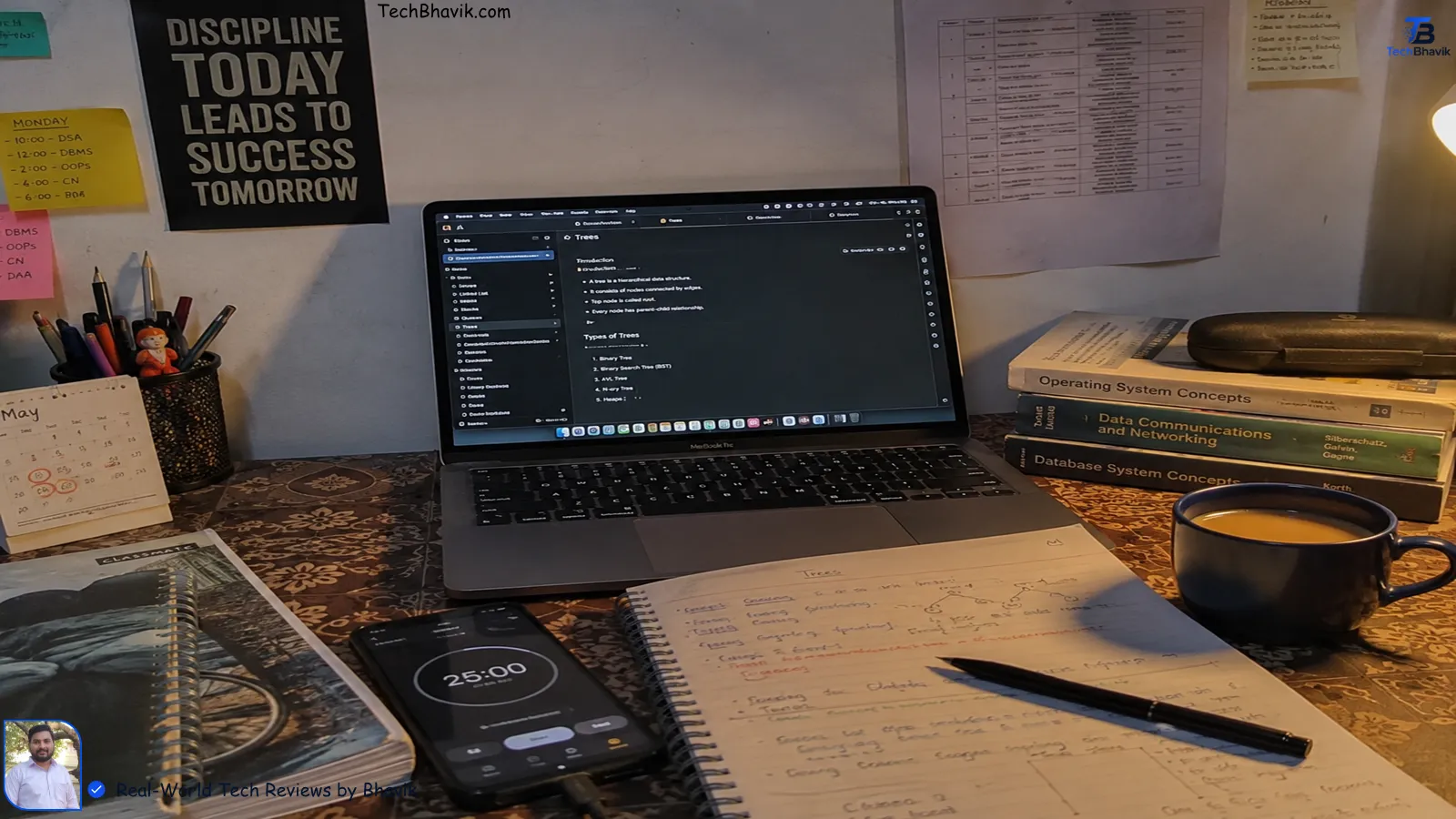
A real student study setup with a laptop showing study notes, a smartphone tracking focus time, and an open notebook.How We Picked These Apps
Every app on this list was evaluated on four things:
- Does it actually improve how you learn — not just how organised you feel?
- Is the free version genuinely usable, not just a crippled teaser?
- Does it work on the devices students actually use — Android, iOS, and web?
- Is the paid upgrade worth the money, or is it just features nobody really needs?
We also grouped them by what problem they solve — because downloading 10 apps at random doesn’t build a study system. Picking one app per category does.
Quick Picks at a Glance
| Category | Best Free | Best Paid |
|---|---|---|
| Flashcards & Memory | Anki | Quizlet Plus |
| Note-Taking | Notion | GoodNotes 6 |
| AI Study Assistant | Google NotebookLM | Khanmigo (Khan Academy AI) |
| Focus & Distraction | Forest (browser) | Forest (mobile) |
| Writing & Grammar | Grammarly (free) | Grammarly Premium |
| Planning & Schedule | Google Calendar | Todoist Pro |
| Subject Learning | Khan Academy | Coursera |
| Lecture Transcription | Otter.ai (free tier) | Otter.ai Pro |
1. Anki — The Gold Standard for Actually Remembering Things
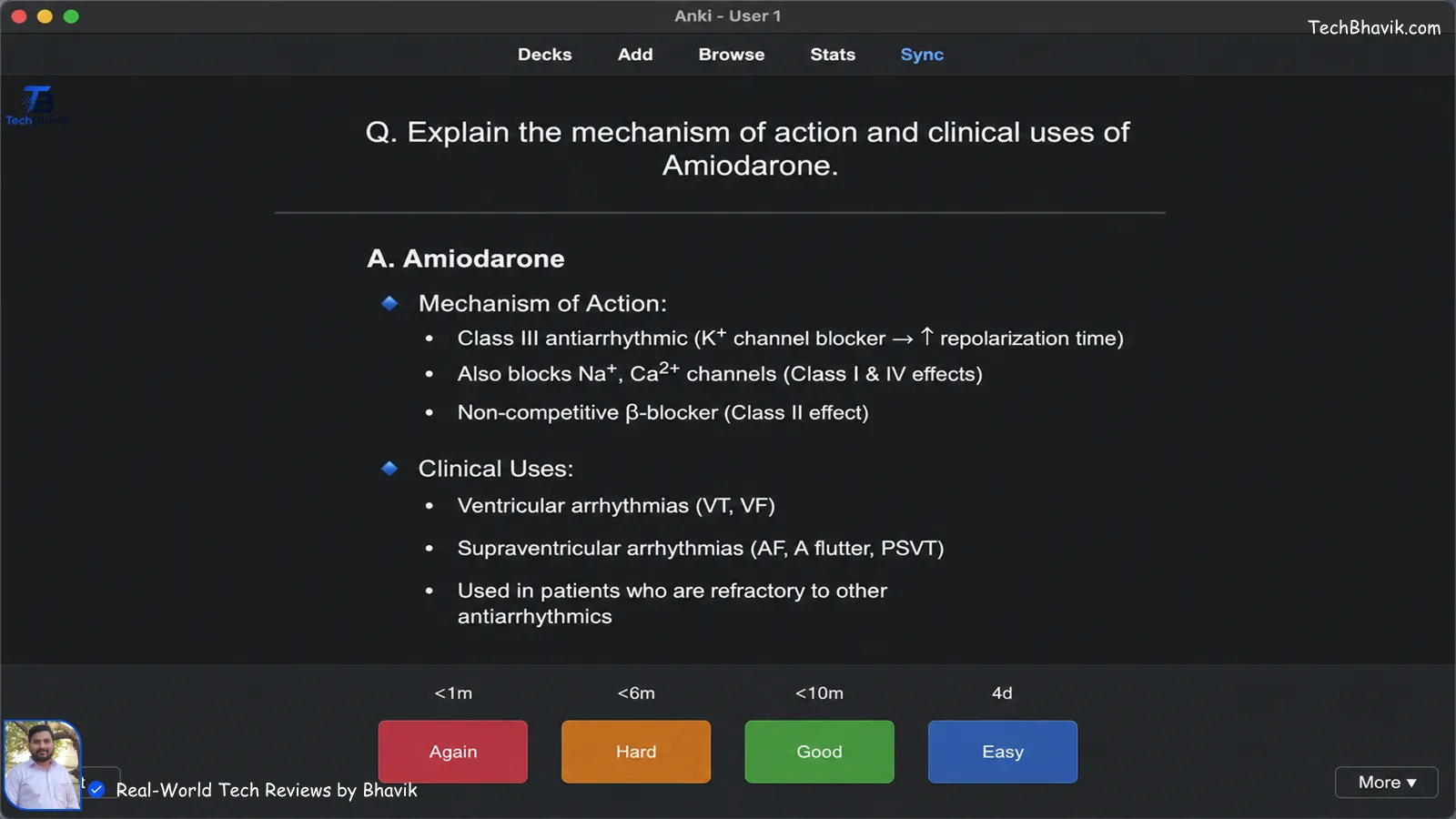
Anki flashcard app interface showing a spaced repetition study session with answer buttons.Platform: Android, iOS (paid), Desktop (free) | Price: Free on desktop & Android; $25 one-time on iOS
If you’ve ever crammed for an exam, felt confident going in, then blanked on half the answers — Anki is the fix for that.
It uses spaced repetition: a scientifically proven method that shows you a flashcard right before your brain is about to forget it. Not too early (you’d remember anyway), not too late (you’ve already forgotten). Right on time.
Medical students, law students, and language learners have been using Anki for years — not because it’s pretty (it’s not), but because it genuinely works. The algorithm schedules thousands of cards efficiently so your review sessions stay manageable even when your deck grows to hundreds of cards.
The learning curve is real. Expect to spend an hour or two setting up your first deck and getting comfortable with the interface. But once you’re in? The payoff is significant.
Best for: Anyone with heavy memorisation loads — medical, law, languages, competitive exams. Worth paying for? The iOS app ($25 one-time) is absolutely worth it if you review on your phone. Desktop and Android are free forever.
2. Notion — Your Entire Academic Life in One Place
Platform: Web, Android, iOS, Desktop | Price: Free for personal use; free for students with .edu email
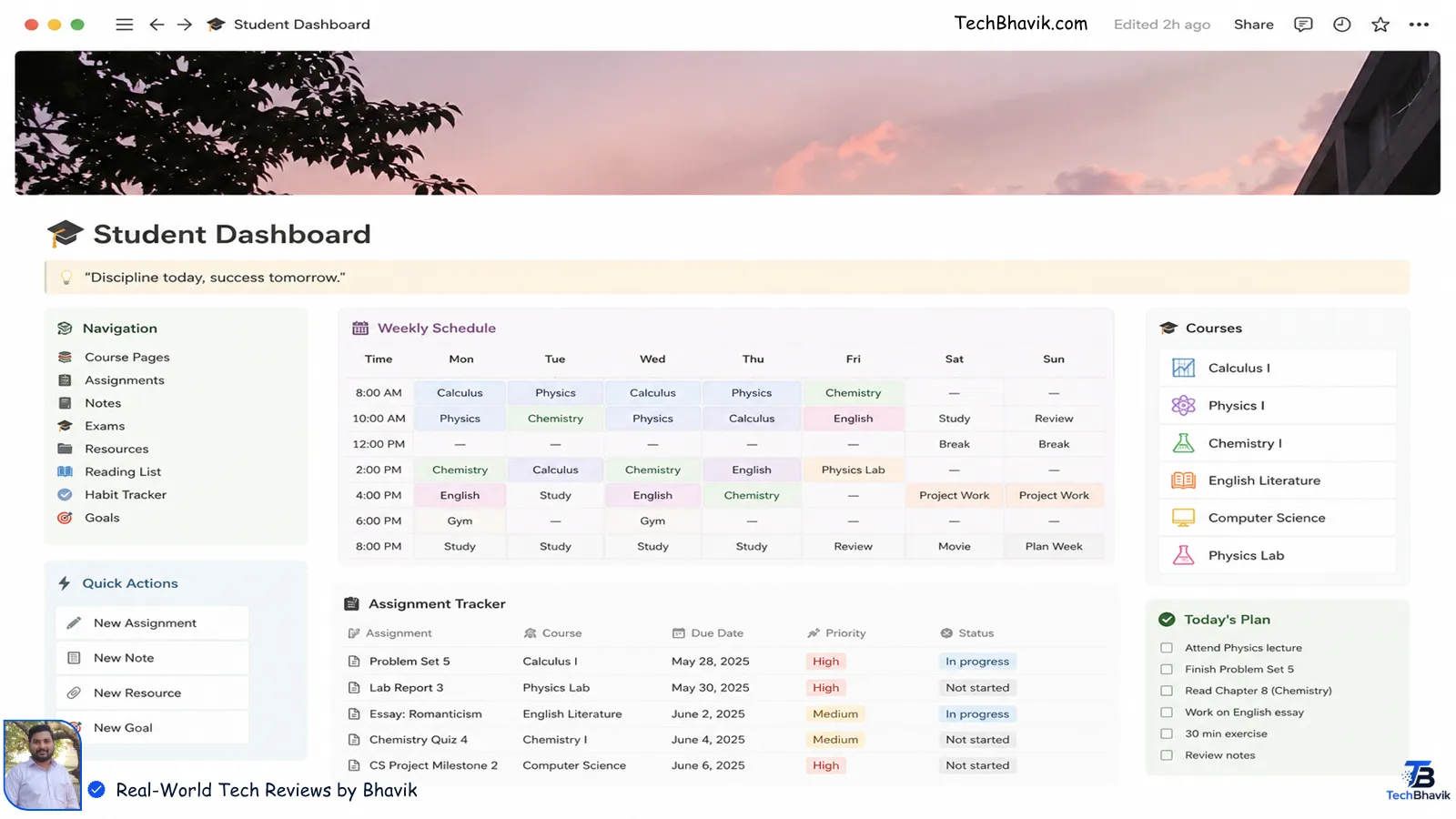
An organized Notion student dashboard template showing an assignment tracker and lecture notes schedule.Think of Notion as the app that replaces your planner, your folder of random Google Docs, your assignment tracker, and your class notes — all at once.
You can build a dashboard that shows every assignment due this week, link your notes to specific lectures, embed PDFs, and create a knowledge base where your ideas and class concepts connect with each other.
It sounds like overkill until the third week of semester when you can’t find that one important lecture note from three weeks ago and your group project deadline is tomorrow. That’s when Notion users smile and everyone else panics.
The learning curve is real — Notion rewards the time you put into it upfront. A good shortcut: search “Notion student templates” on Google before you start building from scratch. Hundreds of students have shared free, ready-to-use dashboards that you can customise in minutes.
Best for: Students who want everything organised in one place. Especially powerful for long projects and multiple courses running at the same time. Worth paying for? The free plan is genuinely excellent. Most students never need to upgrade.
3. Google NotebookLM — The AI Study Tool You’re Probably Not Using Yet
Platform: Web | Price: Completely free (as of 2026)
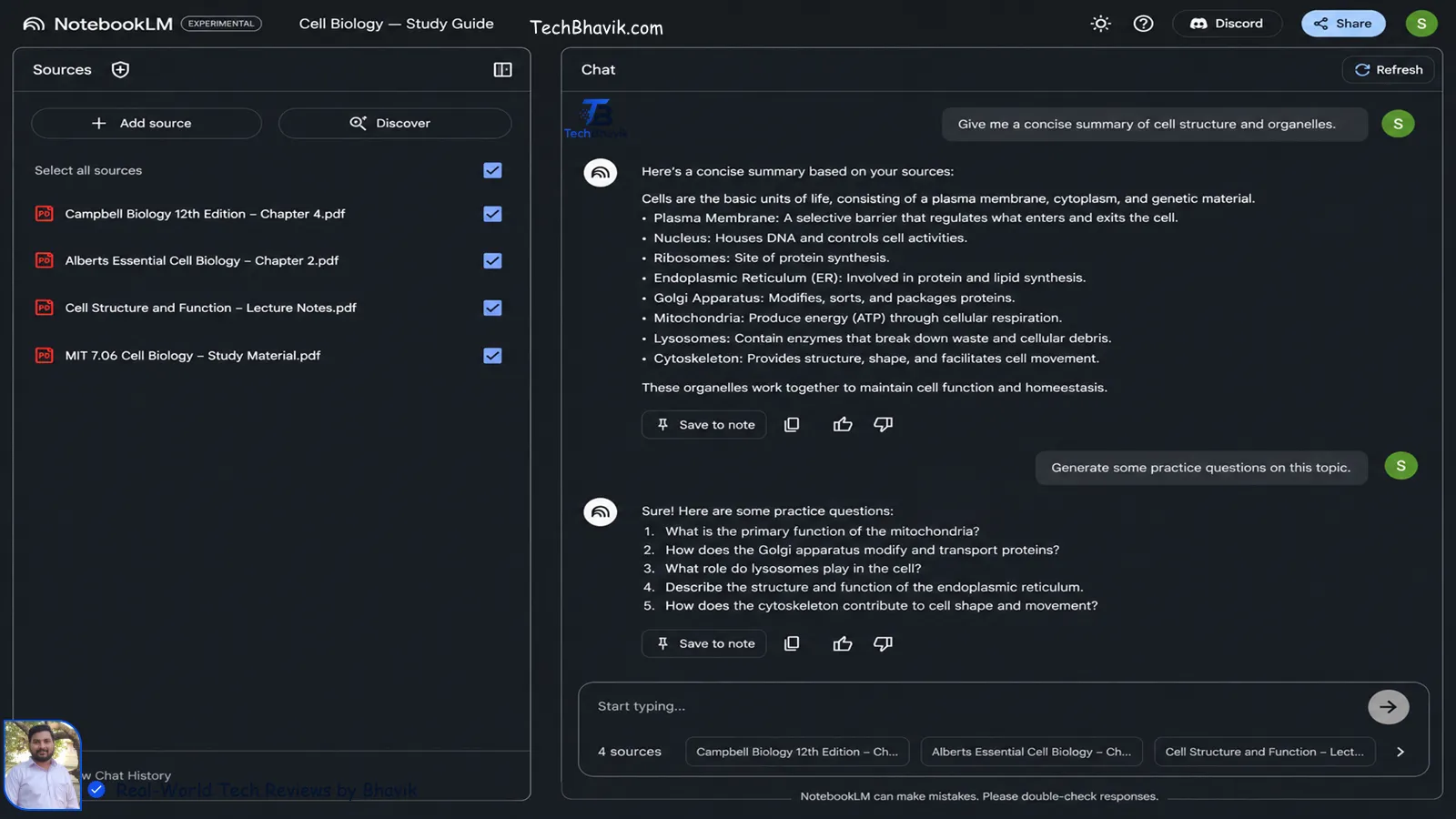
Google NotebookLM dashboard showing uploaded study PDFs and AI-generated practice questions.This one deserves more attention than it gets.
Google NotebookLM lets you upload your lecture notes, textbooks, PDFs, or even paste in text — and then asks it questions like you’re talking to a very well-read study partner who has read all your material.
It summarises, explains, identifies connections between concepts, and generates practice questions based on your specific content — not generic web results. That last part matters a lot. Most AI tools give you answers based on whatever’s on the internet. NotebookLM only works with what you’ve actually uploaded, which makes it far more useful for exam preparation.
Google hasn’t announced any paid tiers yet, which means right now you get unlimited usage at zero cost. That’s an unusually good deal, and it likely won’t last forever.
Best for: Research writing, essay prep, understanding dense material, turning lecture notes into study guides. Worth paying for? It’s free — use it.
4. Forest — The Focus App That Actually Works
Platform: iOS, Android | Price: $3.99 one-time (mobile); free browser extension
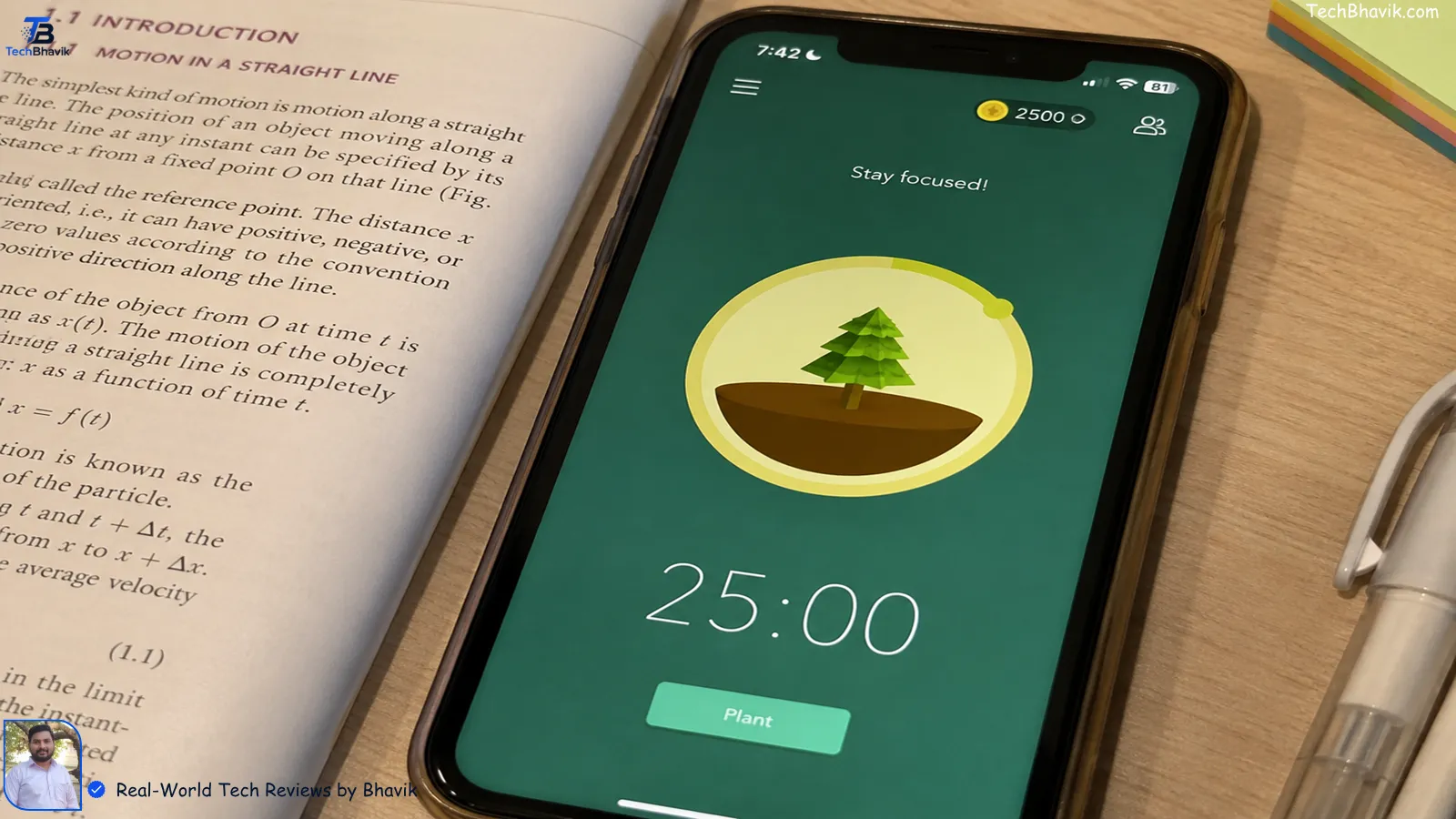
Forest focus app on a smartphone screen showing a grown digital tree and a 25 minute study timer.Here’s the thing about Forest: its concept sounds almost too simple to work.
You set a study timer. A virtual tree starts growing. If you leave the app to check Instagram or YouTube, the tree dies. That’s it.
And yet — it works. The mild guilt of killing a digital tree is a surprisingly effective psychological nudge. Students who use Forest report completing significantly more focused sessions than before, not because the app is sophisticated, but because it makes the cost of distraction feel visible.
The 2026 update added shared forests — where you and your study group can grow trees together during study sessions, which adds a social accountability layer that makes it even more effective.
Forest also partners with Trees for the Future, so your virtual focus sessions plant actual trees in the real world. Which is a nice bonus.
Best for: Students who know they’re easily distracted and want something simple that fights it. Worth paying for? At $3.99 for the mobile app (one-time, not a subscription), it’s one of the cheapest and most effective purchases a student can make.
5. Khan Academy — Free Education That’s Actually World-Class
Platform: Web, iOS, Android | Price: 100% free
Khan Academy doesn’t get enough credit in 2026 because it’s been around for so long that people assume newer equals better. It doesn’t.
The platform covers mathematics (from basic arithmetic to calculus and beyond), science, history, economics, programming, test prep for SAT, GMAT, LSAT, and more — all completely free, all explained by people who are genuinely good at teaching.
What makes it different from watching a random YouTube video: the practice exercises are adaptive. Get a question wrong, and the platform shows you exactly where the misunderstanding is and gives you similar questions until it clicks. Get several right in a row, and the difficulty increases. It learns how you learn.
For students in India specifically, Khan Academy’s UPSC, JEE, and NEET preparation resources have quietly become some of the most-used free prep materials available.
Best for: Building genuine understanding of subjects — not just cramming for exams, but actually getting it. Worth paying for? It’s completely free. There is no paid version. Use it without guilt.
7 Hidden WhatsApp Tricks Every Indian Should Know
6. Quizlet — The World’s Largest Flashcard Library
Platform: Web, iOS, Android | Price: Free (limited); Plus at ~$35/year
Quizlet’s biggest advantage is one that no other app can replicate: 500+ million user-created flashcard sets already exist on the platform.
Need to memorise anatomy terms for a biology exam? There are hundreds of pre-built decks. Studying for a language exam? Every vocabulary set you could need is already there. Preparing for competitive exams? Students who took the same exam before you have already built the decks.
This is a genuine time-saver. Instead of spending 45 minutes making flashcards, you spend 3 minutes finding the right deck and start reviewing immediately.
The “Learn” mode adapts to your performance, giving you more of what you’re getting wrong and less of what you already know. It’s not as sophisticated as Anki’s algorithm, but it’s much easier to use, especially for beginners.
A honest note: in 2026, several features — including AI-generated cards from your own notes and spaced repetition — are now paywalled behind the Plus plan. If those features matter to you, it’s worth the $35/year. If you mainly need access to existing decks and basic revision modes, the free version still covers a lot.
Best for: Students who want a quick, easy way to review material using ready-made content. Worth paying for? Only if you want AI card generation from your own notes. Otherwise, the free tier does the job.
7. GoodNotes 6 — Handwritten Notes That Actually Stay Organised
Platform: iOS, iPadOS, Android, macOS | Price: Free (5 notebooks); Pro at ~$11.99/year
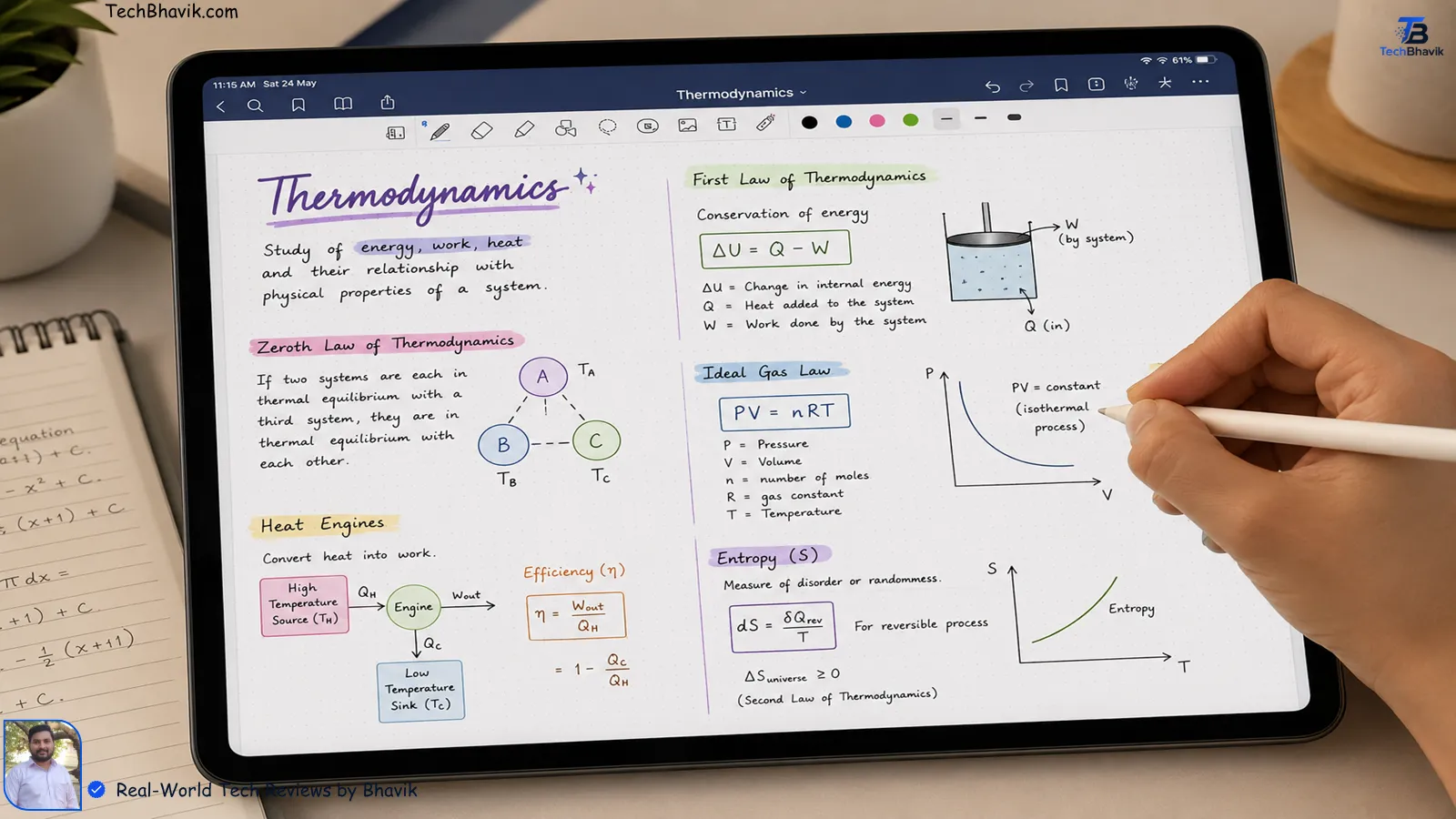
Digital handwritten study notes with mathematical equations and colorful science diagrams on a tablet.If you have a tablet and a stylus — especially an iPad with an Apple Pencil — GoodNotes changes how taking notes feels.
It gives you the experience of writing on real paper with a real pen, but with every note searchable, every page shareable, and your entire notebook backed up to the cloud so nothing gets lost.
The handwriting recognition is genuinely impressive: you can scrawl notes in your messiest lecture handwriting, and GoodNotes can still search through them by keyword. Tap a word in your notes and the app can show you exactly what the professor was saying in the recorded audio at that moment — a feature that’s hard to describe but becomes invaluable when you’re studying three weeks later trying to remember context.
It also handles PDF annotation beautifully, which makes it perfect for marking up lecture slides and textbooks directly.
Best for: Students who prefer handwriting over typing, especially for technical subjects with diagrams, equations, and charts. Worth paying for? If you use a tablet and stylus regularly, the Pro plan is excellent value for the price.
8. Grammarly — Because Your Writing Reflects Your Thinking
Platform: Web, iOS, Android, browser extension | Price: Free; Premium at ~$12/month
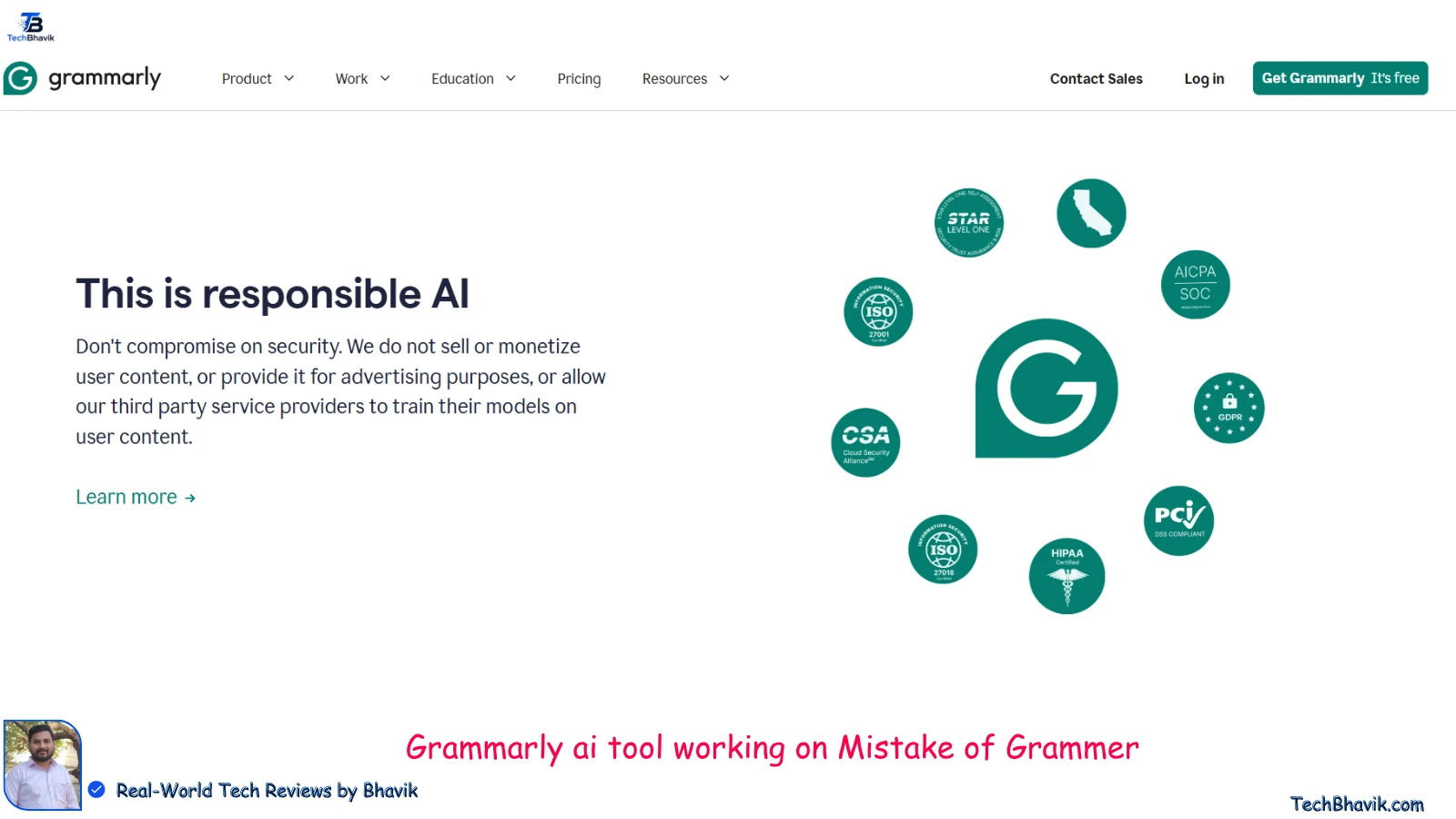
Nobody likes being told their writing is unclear. Grammarly does it kindly, quickly, and before your professor sees it.
The free version catches grammar mistakes, spelling errors, and punctuation issues in real time — whether you’re writing an assignment in Google Docs, composing an email to a professor, or typing a message in a group chat.
The Premium version goes deeper: tone analysis, clarity suggestions, readability improvements, and plagiarism detection against a large database. For students writing research papers, dissertations, or application essays, Premium is worth considering around high-stakes deadlines.
Install the browser extension on your laptop and the keyboard on your phone. It works quietly in the background and only speaks up when something needs fixing.
Best for: Any student who writes — which is every student. Worth paying for? Free works well for most. Premium is worth it for final-year dissertations, application essays, or anyone writing in a second language.
Also check: How to fix computer problems 2026, How to Secure Your PC, How to Update Windows.
9. Otter.ai — Stop Missing Things in Lectures
Platform: Web, iOS, Android | Price: Free (300 minutes/month); Pro at ~$16.99/month
Otter.ai transcribes everything being said in a lecture — in real time — so you can focus on understanding instead of frantically copying down what you’re hearing.
The free tier gives you 300 transcription minutes per month, which is enough for most students’ core lecture load. It identifies different speakers, lets you highlight key moments during recording, and syncs the audio so you can tap any sentence in the transcript and hear exactly what was being said at that point.
At the end of a lecture, you have a searchable, complete record of everything covered. No more “wait, what did they say about the second part of this theory?” moments while studying at midnight.
Best for: Lectures where the professor talks fast, courses with dense technical content, students who find it hard to write and listen at the same time. Worth paying for? The free tier covers most needs. Pro is worth it if you have back-to-back lectures daily.
10. Todoist — The Task Manager That Actually Gets Out of Your Way
Platform: Web, iOS, Android, Desktop | Price: Free; Pro at ~$4/month
There are dozens of task management apps. Todoist has survived and thrived against all of them because it solves the core problem without adding complexity.
You type “Submit sociology essay Friday at 5pm” and Todoist understands it — creating the task, setting the due date and time, without you having to click through menus. Natural language input sounds like a small thing until you’ve used it every day and can’t imagine going back.
The free version handles everything most students need: tasks, sub-tasks, due dates, projects, and cross-device sync. The interface stays clean even when you have 40 things on your plate — it just shows you what matters today.
Best for: Students juggling multiple courses, deadlines, and assignments at once. Worth paying for? The free plan is excellent. Pro adds reminders, labels, and filters — useful but not essential.
11. Wolfram Alpha — The Answer Engine for STEM Students
Platform: Web, iOS, Android | Price: Free; Pro at ~$5/month
Digital handwritten study notes with mathematical equations and colorful science diagrams on a tablet.If you’re studying maths, physics, chemistry, or engineering, Wolfram Alpha is not optional — it’s essential.
Type in any mathematical expression, equation, or problem, and Wolfram Alpha doesn’t just give you the answer. It shows you the step-by-step working, plots the graph, provides alternative forms, and explains what the result means. It’s the most powerful computational knowledge engine available to students, and the free version handles the vast majority of what you’ll need.
Unlike a calculator, it understands context. “How do I solve this differential equation?” gets a real, worked answer with every step shown. “What is the boiling point of water at 5,000 feet altitude?” gets a precise, explained response.
Best for: STEM students at every level. Especially valuable for checking your own working before submitting assignments. Worth paying for? Pro unlocks step-by-step solutions for more complex problems — worth it for advanced maths and science courses.
5 AI Chrome Extensions for Students:Save 10 Hours a Week
12. Duolingo — Language Learning That Doesn’t Feel Like Homework
Platform: Web, iOS, Android | Price: Free; Super at ~$6.99/month
If you’re learning a foreign language — for IELTS, TOEFL, DELF, or just because you want to — Duolingo remains one of the most effective daily habit-builders available.
The key word is daily. Duolingo’s streak mechanic and short lesson format are designed specifically to make it easy to fit a 10-minute session into any day. And consistency — not marathon study sessions — is what actually builds language skills over time.
It covers 40+ languages and has expanded its grammar and writing exercises significantly in recent versions. The free version has ads but is genuinely usable. Super removes ads and adds offline access.
Best for: Students learning a new language at any level. Excellent for maintaining exam preparation consistency. Worth paying for? Free works fine. Super is worth it if ads genuinely disrupt your focus.
13. Zotero — Research Papers Without the Citation Chaos
Platform: Web, iOS, Android, Desktop | Price: Free (300MB storage); paid storage plans available
Every student who has spent three hours manually formatting a bibliography for a research paper at midnight understands exactly why Zotero exists.
Zotero automatically collects citation information from any webpage, journal article, or book with one click. It organises your sources into collections, lets you add notes to each source, and — when you’re ready to write — generates a formatted bibliography in any citation style (APA, MLA, Chicago, Harvard) instantly.
The browser extension works on journal databases, Google Scholar, and most academic sites. Click the Zotero button, and the citation is saved. No typing, no formatting errors, no missing details.
Best for: Anyone writing research papers, literature reviews, or dissertations. Worth paying for? Free storage covers most needs. Only upgrade if you’re managing an unusually large research library.
AI Tools for Students: 7 Top Picks for India & Global Success
14. Focusmate — Study with a Real Human Accountability Partner
Platform: Web | Price: Free (3 sessions/week); $5/month unlimited
This one is different from everything else on this list — and for a specific type of student, it’s the most powerful tool here.
Focusmate matches you with a real person for a 25 or 50-minute video co-working session. You each say what you’re working on at the start, keep your cameras on, work in silence, and check in at the end.
You don’t talk to each other. You don’t know each other. But the simple fact that another human is watching you work — and you can see them working too — is surprisingly powerful. It’s social accountability without the distraction of actually socialising.
Research from Stanford found that students who studied with virtual accountability partners spent significantly more time actually studying compared to those who studied alone. If you’re someone who works well in a library but can’t focus alone at home, Focusmate replicates that dynamic.
Best for: Students who struggle with motivation and procrastination when studying alone. Worth paying for? Three free sessions per week is enough to test whether it works for you. If it does, $5/month for unlimited sessions is excellent value.
15. Coursera — When You Need to Actually Learn a Subject Properly
Platform: Web, iOS, Android | Price: Free to audit; certificates from ~$49
Coursera hosts courses from universities like Stanford, Yale, Google, IBM, and dozens of others — and many of them are free to audit.
Auditing means you get access to all the video lectures and reading materials without paying. You miss out on graded assignments and the certificate, but if your goal is genuine learning rather than a credential, auditing covers most of what you need.
Where Coursera earns its place on this list: the depth. For complex subjects — data science, programming, AI, finance, digital marketing — a good Coursera course from a top university covers the topic more rigorously than most other resources available online. It’s not a replacement for your degree. It’s the place to go when you want to understand something thoroughly and your textbook isn’t cutting it.
Best for: Self-directed learners who want deep knowledge in a specific field. Excellent for professional skill-building alongside a degree. Worth paying for? The certificate is worth it if you need proof of the skill for job applications. Otherwise, auditing free is perfectly sufficient.
15 Best Apps for Studying in 2026 (Free & Paid) — Tested & Ranked, Looking for the best apps for studying? We’ve tested 15 top study apps in 2026 — from flashcards to focus timers — so you can stop guessing and start learning smarter. best apps for studying, best study apps, best study apps for students, free study apps 2026, study apps for students, apps to help study, AI study apps studying Category: Apps & Tools
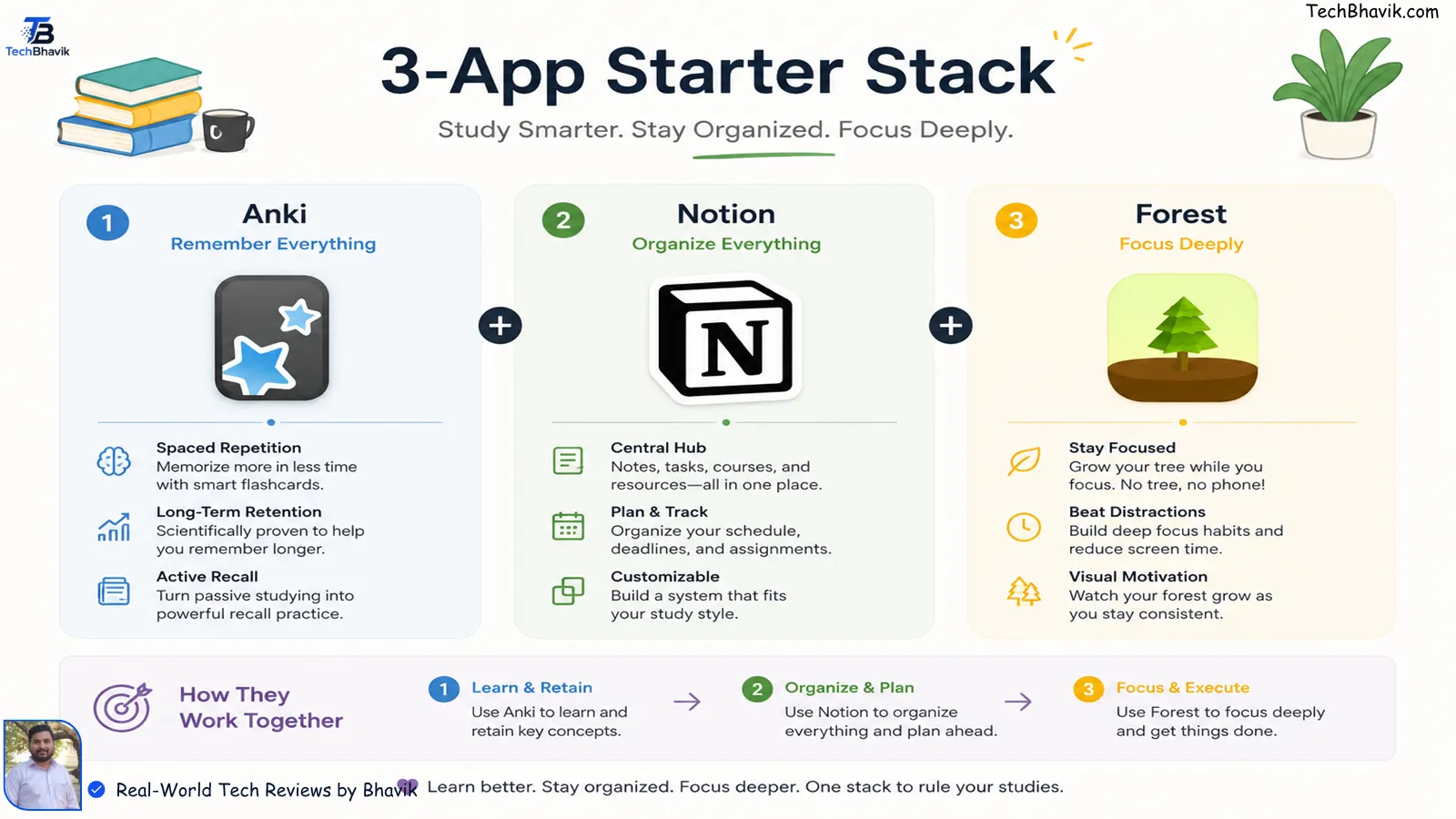
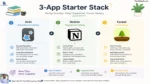
The 3-App Starter Stack (If You’re Just Getting Started)
Don’t try to use all 15 of these at once. Pick one app per category and build habits for a full semester before adding anything new. Research consistently shows that students who stick to a simple, consistent system outperform those who constantly switch tools.
Here’s the simplest stack that covers everything:
For Exam-Heavy Courses: Anki (memory) + Notion (organisation) + Forest (focus)
For Essay-Heavy Courses: Notion (notes and planning) + Grammarly (writing) + Zotero (citations)
For STEM Courses: Wolfram Alpha (problem-solving) + Anki (formulas and concepts) + Otter.ai (lectures)
For Language Learning: Duolingo (daily habit) + Anki (vocabulary) + Forest (focused sessions)
Are Paid Study Apps Worth It?
Most of the time — no, at least not right away.
The free versions of Anki, Notion, Khan Academy, Google NotebookLM, Forest’s browser extension, and Grammarly’s basic plan collectively cover the needs of most students without spending a rupee.
The honest rule: only pay for an upgrade after you’ve used the free version consistently for at least one semester and genuinely hit its limits. If you’re paying for features you haven’t tried to use in the free version, you’re wasting money.
When paid tiers are worth it: removing ads that genuinely break your focus (Forest mobile), unlocking cloud sync across devices (Anki iOS), or getting AI features that save you meaningful time (Grammarly Premium for dissertation writing).
Infographic displaying the best 3 app starter stack for exam heavy and STEM students.Frequently Asked Questions
Q: What is the best free study app in 2026?

For memorisation: Anki (free on desktop and Android). For organisation: Notion (free for personal use). For subject learning: Khan Academy (completely free). For AI-powered study: Google NotebookLM (free as of 2026). Start with one of these based on where you struggle most.
Q: Which study app is best for medical students?
Anki, without question. Medical students worldwide rely on it for the sheer volume of content that needs to be memorised. Pair it with Notion for organisation and Otter.ai for lecture transcription.
Q: What are the best study apps for students in India?
Khan Academy covers school and competitive exam prep thoroughly. Notion and Anki work equally well in India and are free on Android. Forest is available at ₹170 one-time on Android. All apps listed are available in India on the Google Play Store and Apple App Store.
Q: How many study apps should I use?

Honestly, 3 to 4 is the sweet spot — one per category. One for notes, one for memorisation, one for focus, and one for planning. More than that and you spend more time managing your tools than actually studying.
Q: Can I study effectively using only free apps?

Yes, completely. Anki (desktop/Android), Notion, Khan Academy, Google NotebookLM, Forest (browser extension), Grammarly (basic), and Wolfram Alpha are all free and collectively cover every major study need. You don’t need to spend anything to build a genuinely powerful study system.
Final Verdik Truths by Bhavik
The best study app isn’t the one with the most features or the flashiest interface.
It’s the one you actually open every day.
Pick one app that solves your biggest problem right now — whether that’s remembering what you study, staying focused for longer, or keeping track of what’s due when. Use it consistently for a month. Then add the next one.
That’s how a study system actually gets built. Not in one download session, but one good habit at a time.

Bhavik Munjapara is a technology writer and the founder of TechBhavik.com. Since 2023, he has covered AI tools, smartphones, software, and consumer technology, focusing on practical guides, unbiased research, and real-world insights that help readers stay informed in a fast-changing digital world.
Contact: contact@techbhavik.com
Contact: X (Twitter)