What Is RAM? Don’t Buy the Wrong Amount! 2026 Buying Guide
Here’s a question that comes up every single time someone buys a new phone or laptop:
“Is 8GB RAM enough? Should I get 16GB? What does RAM even do?”
It’s one of the most searched tech questions in India — and honestly, most answers out there are either too technical to be useful or too vague to actually help you decide.
This guide fixes that. Plain language, real examples, specific recommendations for Indian buyers in 2026 — and a straight answer to the question you actually came here for.
What Is RAM, Actually?
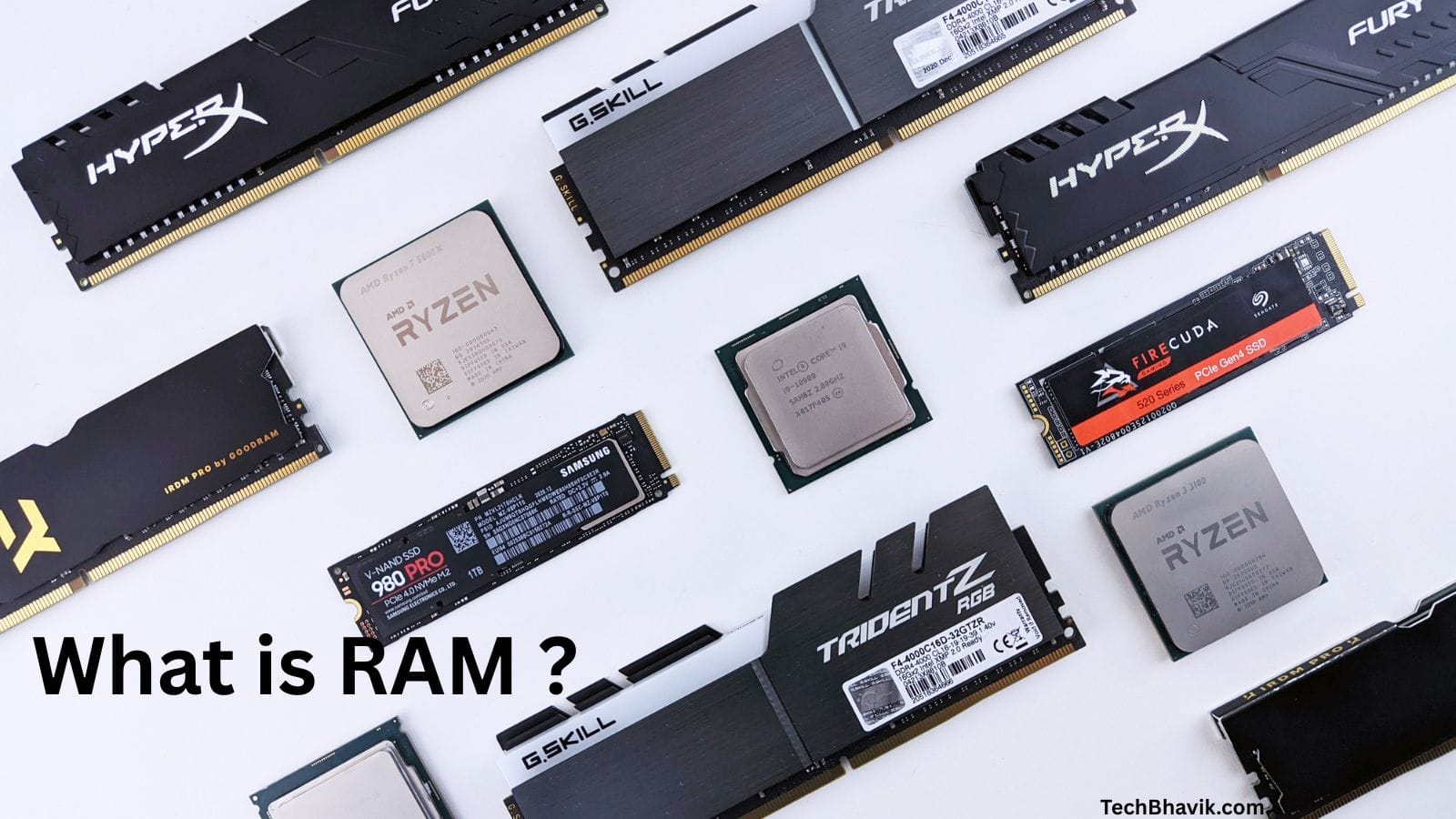
RAM stands for Random Access Memory. But that name tells you nothing useful, so here’s a better way to think about it.
Imagine your phone or laptop is a physical desk. Your hard drive or storage (SSD) is a filing cabinet sitting in the corner — it holds everything: your apps, photos, files, everything you’ve ever saved. But to actually work on something, you need to pull it out of the cabinet and put it on your desk. You can’t write on a file that’s still locked in the cabinet.
RAM is your desk.
The bigger your desk, the more things you can have open and working on at the same time — multiple browser tabs, WhatsApp in the background, a YouTube video playing, your email refreshing — all simultaneously, without your phone slowing down or apps restarting every time you switch between them.
When you close an app, it gets put back in the cabinet (storage). When you reopen it, it gets pulled back out onto the desk (RAM) again. A small desk means you’re constantly clearing space — which is exactly why a phone with 4GB RAM feels slow and laggy even when the processor is perfectly fine.
The key difference between RAM and storage:
- RAM — temporary, fast, working space. Gets cleared when you restart.
- Storage (SSD/HDD) — permanent, slower, holds everything long-term.
They’re completely different things. 128GB storage has nothing to do with RAM. You need both, and they do completely different jobs.
What Does RAM Actually Do in Real Life?
Let’s skip the theory and look at what RAM does in moments you’ll actually recognise.
Switching between apps: You’re on Instagram, jump to WhatsApp to reply to a message, then switch back to Instagram. On a phone with enough RAM, Instagram opens exactly where you left it — same post, same scroll position. On a phone with too little RAM, Instagram has to reload from scratch every time you come back. That’s RAM at work.
Browser tabs: Each open browser tab consumes RAM. Open 5 tabs in Chrome on a phone with 4GB RAM and you’ll notice the first tab reloading when you go back to it. On 8GB RAM, those 5 tabs sit quietly in the background, ready when you need them.
Multitasking on a laptop: You have Word open, 8 Chrome tabs, Zoom running, and Spotify in the background. On 8GB RAM, your laptop starts lagging — Windows begins using your SSD as emergency overflow (called paging or swap), which is dramatically slower than real RAM. On 16GB RAM, everything runs simultaneously without friction.
Gaming: Modern games load maps, textures, character models, and physics all into RAM while you play. Not enough RAM and the game stutters, takes forever to load new areas, or crashes entirely.
Check: Top 100 free AI tools for 2026, SSD vs HDD: The Ultimate Upgrade, 5 tips, How to Fix Computer Problems.
Types of RAM — Do They Matter?
You’ll see terms like DDR4 and DDR5 on spec sheets. Here’s what they mean without the jargon:
DDR4: The previous generation. Still common in budget and mid-range laptops and phones. Reliable and well-understood.
DDR5: The current generation standard in 2026. Faster, more efficient, better power consumption. The transition from DDR4 to DDR5 has largely completed in new laptops in 2026, with DDR5 offering higher speeds and better power efficiency — though real-world performance differences for typical tasks remain modest.
LPDDR (Low Power DDR): The version used in phones and ultra-thin laptops. The “LP” means it’s designed for battery efficiency. LPDDR5 is the current standard in most 2026 flagship and mid-range phones.
What should you actually care about? For most users — capacity matters far more than DDR generation. Moving from 16GB to 32GB typically yields larger practical gains than moving from slower to faster RAM of the same capacity. Don’t choose a phone with 8GB DDR5 over one with 12GB DDR4 just because of the newer generation label.
Virtual RAM — The Marketing Trick You Need to Know About
In 2026, nearly every budget Android phone advertises something called “Virtual RAM,” “RAM Plus,” “Memory Fusion,” or “Dynamic RAM Expansion.” The number sounds impressive: “6GB + 6GB Virtual = 12GB RAM!”
Here’s the honest truth: virtual RAM is not real RAM.
What it actually does is reserve a portion of your phone’s internal storage (the filing cabinet) and use it as emergency overflow when the real RAM fills up. The problem is that storage is 10–50x slower than real RAM. Using virtual RAM doesn’t give you the smooth multitasking of 12GB real RAM — it gives you slightly delayed performance instead of completely crashed apps.
Virtual RAM can help in simple scenarios, but it will not save the situation in demanding ones. Physical memory is always faster and more reliable. Virtual memory is marketing, not a cure-all.
When comparing phones, always look at the physical RAM number — ignore the virtual RAM addition entirely. A phone with 8GB real RAM + 8GB virtual RAM is slower than a phone with 12GB real RAM, regardless of what the spec sheet headline says.
How Much RAM Do You Need? — Laptops & PCs
Let’s get specific. Here are honest recommendations for every type of user in 2026:
8GB RAM — The Bare Minimum (Not Recommended for New Purchases)
The operating system alone — Windows 11 or Windows 10 — can consume about 3–5GB of RAM right from startup. Then there’s the web browser: 5–10 open tabs is another 1.5–3GB. Background processes like messaging, cloud sync, and antivirus add another 0.5–1.5GB. A computer with 8GB RAM is very quickly approaching the limit of available memory.
When that limit is hit, Windows starts using your SSD as overflow memory (called the paging file). Even on a fast SSD, this is dramatically slower than real RAM — you’ll notice your laptop becoming sluggish, apps taking longer to respond, and everything feeling heavier than it should.
8GB represents the absolute minimum for modern Windows laptops in 2026, suitable only for light, focused computing. For any serious multitasking or future-proofing, 8GB represents a compromise rather than a comfortable solution.
Bottom line: If you’re buying a new laptop in 2026, only consider 8GB if it’s the absolute maximum your budget allows. If the laptop has soldered RAM (most thin laptops do), you can never upgrade it later. You’re stuck with 8GB for the life of the device.
16GB RAM — The Sweet Spot for Most People ✅
16GB of RAM is the optimal capacity for everyday users, remote workers, and students in 2026. It provides plenty of headroom for heavy web browsing, video calls, Microsoft 365 applications, and casual gaming without bogging down the operating system.
16GB handles:
- 20+ Chrome or Edge browser tabs open simultaneously
- Microsoft Word, Excel, and PowerPoint are running at the same time
- Zoom or Google Meet video calls while other apps are open
- Casual gaming (Minecraft, Valorant, GTA V, FIFA)
- Light photo editing in Canva or Lightroom
- Programming in VS Code with moderate projects
For the average user, 16GB RAM is the most reasonable choice in terms of price-to-performance ratio. For about 90% of home and office users, it is the best choice.
For Indian buyers: Most laptops in the ₹35,000–₹60,000 range now come with 16GB RAM by default — and this is exactly the right amount. If a laptop in this price range only offers 8GB, look for a different model or a configuration upgrade.
32GB RAM — For Gamers, Creators, and Heavy Users
32GB has become the “set-and-forget” choice for gaming setups, providing better future-proofing. Many modern games plus background apps like Discord, game launchers, streaming overlays, and anti-cheat software push beyond the comfort zone of 16GB.
32GB makes sense if you:
- Play demanding AAA games while streaming or recording
- Edit 4K video in Premiere Pro or DaVinci Resolve
- Use Docker, virtual machines, or heavy development environments
- Run local AI models like Stable Diffusion or Ollama
- Work in 3D rendering, animation, or CAD
For serious creators, 32GB of RAM is the practical minimum. Editing standard 4K video may run well on 32GB, but scrubbing through 8K timelines or rendering dense 3D scenes demands more.
For Indian buyers: 32GB laptops typically start around ₹70,000–₹80,000. For students and office workers, 32GB is more than you need. For video editors and serious gamers, it’s worth the investment.
64GB RAM and Above — Professionals Only
3D, VFX, CAD, and scientific workloads should start at 32GB, with 64GB being a strong standard for medium projects and 128GB or more for large scenes and simulations.
If you need to ask whether you need 64GB — you don’t. This is for professional video production, large-scale data analysis, server workloads, and enterprise use.
How Much RAM Do You Need? — Smartphones
The picture for phones in 2026 has gotten more complicated — and more interesting — because of two things happening simultaneously: AI features demanding more memory, and a global RAM shortage pushing prices up and specs down.
The global RAM shortage is creating a strange situation for smartphones. While AI needs more memory to work efficiently, the hardware is heading in the opposite direction. Chipmakers like Samsung and SK Hynix are shifting focus from smartphone DRAM to more profitable HBM for AI servers, pushing up DRAM prices by nearly 40%.
Here’s what the RAM tiers actually mean for your phone experience in 2026:
4GB RAM — Avoid If Possible
While 4GB RAM can handle basic tasks like messaging and video calls, it struggles with multitasking or gaming.
At this level, apps constantly reload in the background, switching between WhatsApp and Chrome will make Chrome reload its tabs, gaming is choppy, and the phone will feel noticeably slow within 12–18 months as apps get heavier.
Verdict: Only acceptable if this is genuinely your only option under ₹8,000. Avoid if you can stretch to 6GB.
6GB RAM — Budget Minimum for 2026
This is the realistic floor for a phone you expect to use smoothly for 2–3 years. Basic social media, messaging, calls, YouTube, and light camera use all work without frustration. Gaming starts to show strain on heavier titles.
Verdict: Acceptable for a strict budget phone under ₹10,000. Don’t spend ₹12,000+ on a 6GB phone when 8GB is available at the same price.
8GB RAM — The Sweet Spot for Most Indian Users ✅
For most everyday tasks — messaging apps, web browsing, video, social networks — 8GB is more than enough in 2026. This allows comfortable background multitasking with around a dozen apps, basic AI features such as translation and photo editing, and casual gaming.
In 2026, 8GB is the optimal choice for most users.
At 8GB you can realistically keep 15–20 apps in memory simultaneously, play most mobile games without frame drops, run AI camera features, and use the phone comfortably for 3–4 years without it feeling outdated.
For Indian buyers: Most phones between ₹12,000–₹25,000 now come with 8GB RAM. This is the right target for the majority of Indian smartphone buyers in 2026.
12GB RAM — For Enthusiasts and Power Users
12GB is a reasonable minimum for enthusiasts. This level suits demanding games at high settings, professional 8K video recording, advanced AI use such as local image generation and complex assistants, and serious multitasking. If you frequently edit video, work with RAW photos, or use emulators, this is the right choice.
If your budget allows, choosing 12GB in a flagship device provides a reserve for the next two to three years, as AI continues to consume more resources.
For Indian buyers: Phones with 12GB RAM typically start around ₹25,000–₹35,000. Worth it if you use your phone heavily for work, content creation, or gaming.
16GB RAM and Above — Flagship Territory
In 2026, 16GB or more RAM has become rare due to the DRAM shortage. 12GB is now a privilege of top-tier models, while 8GB is the optimal choice for most users. Devices like the Galaxy S Ultra and ROG gaming phones rely on at least 12GB RAM to handle local AI processing, multitasking, and high-resolution video capture.
If you’re buying a flagship phone above ₹60,000, 12GB is the realistic expectation — 16GB is increasingly reserved for gaming phones and ultra-premium models.
The RAM Guide — Quick Reference Table
| Device | Minimum | Recommended | For Heavy Users |
|---|---|---|---|
| Windows Laptop | 8GB | 16GB ✅ | 32GB |
| Mac (MacBook) | 8GB | 16GB ✅ | 32GB |
| Chromebook | 4GB | 8GB | 16GB |
| Budget Smartphone (<₹12,000) | 4GB | 6GB ✅ | 8GB |
| Mid-range Phone (₹12,000–₹25,000) | 6GB | 8GB ✅ | 12GB |
| Flagship Phone (₹25,000+) | 8GB | 12GB ✅ | 16GB |
| Gaming Laptop | 16GB | 32GB ✅ | 64GB |
| Video Editing PC/Laptop | 16GB | 32GB ✅ | 64GB |
How to Check Your Current RAM
On Windows 10/11: Press Ctrl + Shift + Esc → click Performance tab → click Memory — this shows your total RAM, current usage, speed, and how many slots are used.
Or: Settings → System → About → look for “Installed RAM” under Device specifications.
On Android: Go to Settings → About Phone → RAM — the exact path varies by brand:
- Samsung: Settings → About Phone → Memory
- Xiaomi/MIUI: Settings → About Phone → Memory
- Realme/OnePlus: Settings → About Device → RAM
On iPhone: Apple doesn’t display RAM directly in settings. You can check the total available storage in Settings → General → iPhone Storage, but RAM isn’t shown natively on iOS.
Can You Upgrade RAM?
On laptops: It depends entirely on the model.
Desktop PCs and older laptops have removable RAM slots — you can buy and install new sticks easily. Many modern thin laptops (most ultrabooks, gaming laptops, and budget devices) have soldered RAM permanently attached to the motherboard. You cannot upgrade it at all.
If you choose an 8GB configuration on a thin-and-light device with soldered memory, you are locked into 8GB until you buy a new computer.
Before buying any laptop: Google “[laptop model] RAM upgrade” or check its manual to confirm whether the RAM is soldered or upgradeable. This single check can save you from a very frustrating situation two years from now.
On smartphones: RAM cannot be upgraded. The RAM in a phone is soldered permanently to the chip. Whatever you buy is what you have for the life of the phone — which is exactly why buying enough RAM upfront matters.
- Apple iPhone 18 Pro Max: Price, Features, and Release Date

- The 2026 Blueprint for Scoring Remote Freelance Tech Jobs With Zero Experience

- I Tested 100+ Tricks – These Are The 25 Tech Hacks Everyone Should Know



The One Rule That Covers Everything
If you remember nothing else from this article, remember this:
Buy more RAM than you need today — not exactly what you need today.
Your apps will get heavier. AI features will demand more memory. Windows gets more resource-hungry with every update. The phone you buy with 6GB RAM that feels fast today may feel sluggish in 18 months as apps update and require more memory.
Buying the right amount of memory on day one is essential, especially since many modern laptops feature soldered memory that cannot be upgraded later.
For most Indian buyers in 2026:
- Smartphone: Don’t go below 8GB. 12GB if your budget allows.
- Laptop: Don’t go below 16GB. 32GB if you edit video or game seriously.
That’s it. Simple, practical, no confusion.
Frequently Asked Questions
Q: Is 8GB RAM enough for a laptop in 2026? Technically yes, but barely. Windows 11 technically runs on 4GB, but in real-world use 8GB struggles and 16GB is now the true baseline for a smooth experience. If you’re buying a new laptop, go for 16GB — especially if the RAM is soldered and cannot be upgraded later.
Q: Is 8GB RAM enough for a smartphone in 2026? Yes — 8GB is the sweet spot for most Indian users in 2026. It handles everyday apps, social media, casual gaming, and AI camera features comfortably. For heavy gamers and content creators, 12GB is worth the extra investment.
Q: What is the difference between RAM and storage? RAM (Random Access Memory) is your device’s working memory — temporary, fast, holds apps currently running. Storage (ROM, SSD, HDD) is permanent memory — holds all your files, photos, and apps even when the device is off. They are completely separate and serve different purposes. 128GB storage tells you nothing about RAM.
Q: Is 16GB RAM enough for gaming in 2026? 16GB RAM is sufficient for most gaming, but 32GB provides better stability when background applications like Discord, game launchers, streaming overlays, and anti-cheat are running simultaneously. For casual to mid-level gaming, 16GB is fine. For serious gaming or simultaneous streaming, go to 32GB.
Q: What is virtual RAM on Android phones? Virtual RAM (also called RAM Plus, Memory Fusion, or Extended RAM) borrows space from your phone’s internal storage to act as overflow memory. It’s significantly slower than real RAM. Virtual memory is marketing, not a cure-all — physical memory is always faster and more reliable. When comparing phones, focus on the physical RAM number only.
Q: How much RAM does Windows 11 actually use? Windows 11 alone consumes about 3–5GB of RAM at startup, before you open a single app. Add 5–10 browser tabs (1.5–3GB) and background processes (0.5–1.5GB) and a computer with 8GB RAM is already approaching its limit under normal daily use.
Q: Should I buy DDR4 or DDR5 RAM in 2026? DDR5 is the current standard and is preferred for new purchases. However, for most users the practical speed difference between DDR4 and DDR5 is less important than having the right amount of RAM. A 16GB DDR4 laptop will outperform an 8GB DDR5 laptop for everyday tasks.
Q: How much RAM do I need for video editing? For editing standard 4K video, 32GB of RAM is the practical minimum. Scrubbing through 8K timelines or rendering dense 3D scenes demands more — 64GB for heavy-duty professional workflows. For 1080p and basic editing, 16GB works but expect some lag during render previews.
Last updated: May 2026 | techbhavik.com
Here’s a description for your post titled “What Is RAM? How Much Do You Need for a Lag-Free Experience in 2026?”:
In this comprehensive guide, “What Is RAM? How Much Do You Need for a Lag-Free Experience in 2026?”, TechBhavik demystifies the crucial role of Random Access Memory (RAM) in modern devices. With an increasing number of tech enthusiasts seeking clarity on memory requirements, this article breaks down complex concepts into simple, relatable terms. It explores the practical implications of different RAM capacities across laptops and smartphones, offering tailored recommendations for Indian buyers based on their usage needs. From understanding standard RAM types like DDR4 and DDR5 to navigating marketing tricks like virtual RAM, this guide equips readers with the knowledge they need to make informed purchasing decisions—ensuring optimal performance and longevity of their tech investments.
Feel free to adjust any part of it as needed!
Found this guide useful? Share it with someone who’s confused about buying a new phone or laptop — this is the question everyone asks and nobody answers clearly.

B.L. Munjapara is the founder of TechBhavik.com and a technology writer specializing in AI tools, smartphone rankings, software guides, gadget reviews, and global technology trends. He helps readers understand emerging technology and make smarter digital decisions.